A guy on a board I frequent asked:
Probably a stupid question, but what's the difference between development, testing, staging and production servers?
I had some time while I was eating my salad at my desk, and penned a reply:
You have code, code which works and is in production. Now you get a bug report, have to add a feature, whatever. So you start a branch of the production code on the dev machine, and get busy writing.When you want to make sure that code does what it's intended to do, doesn't affect any other parts of the app, etc, you move it from the dev machine to the testing machine. There you poke in whatever ways are necessary or mandated by company policy. QA and devs also get a chance to poke at stuff here.
Once the code is verifiably working (and doing no other harm), it is frozen (no more enhancements, bugs fixed, etc) and it is moved from testing to staging. This is where you invite a few end users (the rest of your group, including some no-tech folks most probably) to test drive the changes. Stuff in staging is basically "in beta". URLs are fairly stable, the apps don't go up and down because you're restarting things all the time like on dev or testing, etc. Depends on where you work, but another security review might also happen here. You might also have to bring in a release engineer or configuration management guy at some point during this stage.
Once you know everything is 100% ready to go, nothing is going to break, people love the new features, everyone has signed off on the release, you move from staging to production. You don't forget to let your admins know that the app is going to go down for a minute, lest they get paged. And because you care, you have looked at traffic patterns and are doing the production integration at your absolute off-peak, to minimize impact on end users. Thankfully, you were mentored by the King Of CYA, and have a rollback plan should it be necessary to "downgrade" to the last rev of your production app. The code it integrated, QA does their smoke tests, and if it all works, you ask the admins to keep an eye on it and then you go home and drink it off.
That's a perfect world. What actually happens is that some bozo has shit running out of his home directory and because it's "in production" you need heavy duty earth movers to get it on a real server since mgmt doesn't realize that it's flaky. All they know is that "it's working great now" and they can't risk any downtime. No amount of technically correct reasoning can convince the VP of sales that it's just fine to move his customer-facing app. He'll veto your arguments by saying to the CEO, "Bob, you know I trust the IT guys, but I just don't see how we can risk losing a customer because the app is down..."
The guy who built it quits, and stuff breaks left and right, because an undocumented "feature" was that the guy copied files around every morning to keep things working. Or his /home/luser directory was archived and deleted when HR terminated his employment. So now you have a bunch of guys copying shit off tape, only to find that it's not all there, permissions are whacked, there were other necessary files in /usr/local that the app needed, whatever.
Or maybe the guy does like in the story and runs crap off his workstation. He doesn't bother using source control, and instead just uses a very intuitive sequential numbering system. Or the final executable is happily named "app-working.exe" so that everyone knows it's the good one that should be in production. He could also just append dates to the app name. That's really helpful, since the last rev is always the production copy.
The best part about the above scenario is that the guy's desktop box will wind up living racked up sideways in a datacenter, in a cabinet nicknamed "the graveyard" by the NOC staff. Nobody knows how to restart it should power get shut off, so the admins taped the top of a water bottle over the power button and put a note on it. It'll be known as "The Dell Desktop Machine You Don't Ever Touch" and folks will be more than happy to pretend it doesn't exist (and that it's lesser-quality desktop power supply stays running, those little fans on the motherboard chips don't get clogged with lint, etc).
Once the "Little Workstation That Could" does go down (and it will, believe me, it will), there will be no less than 8 admins -- some of whom are very senior -- who will spend around 6 hours to bring it back up correctly and test it very roughly. The total cost in man-hours and downtime work out to roughly 1/35th what it would have cost to move it to a real server environment and gin up a little documentation and redundancy. But because they couldn't risk the downtime, you recall, they never did that.
So once it's "fixed", the senior IT guy there shoots off angry emails calling the VP of Sales an ignorant twit, and he wants that desktop shit outta his datacenter but pronto, thank you very much. So a committee is formed and all sorts of buy-in gathered, opinions solicited, outcomes predicted, tasks delegated.
Months later, nobody has touched the thing because anyone with a clue knows that the box has cooties and they don't want the blame for causing outages (Sales VP has a temper AND plays golf with the HR manager and CFO, natch). Besides, the guy who got the duty of migrating the app was the most junior, and the machine was running an OS he's not familiar with the app written in a language he didn't know. He muddled around for a few weeks trying his best to make progress and "show status" before moving on to another job that's actually mentally fulfilling. So everyone's forgotten about the little box (the NOC guys more so than anyone pretend there's empty where it's racked) and so that's why nothing ever got done.
Then it goes down again...
And that's my story of how IT works. Like it?
I recently has to extract some information from an Urchin 5 installation, munge it a little, and then save it. The tool one normally uses for this is a (not very well written) perl script provided by the Urchin folks: u5data_extractor.pl. When running it using the instructions at the top, you'll find that you can't run it. Or, rather, you can run it, but it won't produce any data for you. All you'll manage to get is a cryptic error, for which there aren't any explanations: "Urchin CGI Report. Error Encountered (1000).". As you can see from the Google search results, there's not a lot of help for explaining what a "1000" error is (until this page is indexed, I guess; at the time of writing there are only 3 results for that query). I suspect it's a generic error condition, sort of a "just couldn't make it happen, dude" thing, but I could be wrong. Irrelevant, since I got it to work.
Here are some tips:
if ((!defined $reportset) || ($reportset eq "")) { $reportset = "Standard"; }
To this:
if ((!defined $reportset) || ($reportset eq "")) { $reportset = "Basic_All"; }
$ENV{QUERY_STRING} = "vid=$report&bd=$begin&ed=$end&v=$max&rid=$rid&lang=$language&x=1&user=(admin)";
To this:
$ENV{QUERY_STRING} = "vid=$report&bd=$begin&ed=$end&v=$max&rid=$rid&lang=$language&x=1&user=(admin)&dt=4&dtc=0";
Overall, don't bother reading the error messages (if any). In th course of getting it to work, I added a bunch more error checking to our version of the script since the default one is pretty awful in explaining what went wrong. If you do all of the above and it still isn't working, go view the report you want to extract in the GUI. Note the vid values, etc. You can also try setting/tweaking your shell's QUERY_STRING environment variable to what the script wants to use and calling urchin.cgi directly in order to quickly try new values.
The dodgy script, cryptic error message and lack of any information on the web caused me a few hours of unnecessary grief, and so anyone with a similar issue should be able to find some help here.
I thought I was a dork because I spent all summer of my 14th year writing an Asteroids game clone in BASIC on my VIC-20. Well, I've got nothing on Dmitri Gaskin.
That's just scary.
I often have to make reports using unformed/gathered data, and more often than not it's for something web-based So I often have to think about presentation as well as the actual stuff I want to show someone.
As you might have guessed by looking at this aging website, I *hate* web design. It's really annoying, and I'm not at all good at it. I recently came across this Top 10 CSS Table Designs page, and I think it'll make my life easier.
A prof in college once told me that "presentation is key". He was giving me an 89% on a huge school project that took a few months to complete. I spent hours and hours on it, and tried to be as meticulous as possible. But I did it by hand, since it was far too large for anything I had at my disposal. This was 1993, after all, and my only computing resource were crappy lab machines or the slightly more crappy Amstrad 8088 I had in my apartment. I didn't think ASCII art on green/white tractor paper would have been an improvement over my hand drawing and writing -- but it likely would have been. I took drafting in high school, and know how to make lines and measurements and things to scale and all that. But I always got dinged on my arrowheads. I'm no artist. Shit, I can barely write my name legibly.
Anyway, after handing me my grade he said that he wished he could have given me a 100%, as my work was -- technically -- the best he'd seen in a long time. I had two TAs come by to congratulate me on it before I went in to get my grade. I thought it was good work and a shoo-in for an A. Since it was worth 40% of my overall grade, it was important to do well. Why was I saddled with an 89%?
"In business, when you go out and spend months doing research, you have to make sure that your results are presentable in order to do that work justice. You have to make it visually appealing, free of errors, easy to read, so that you can secure funding or make your argument or get your proposal approved. Look professional, and you're taken seriously. Presentation is key."
So he reckoned my less-than-perfect presentation (I did it on vellum with technical pencils, but my bad artwork and the occasional smudges made it look a little shoddy, I admit) was worth "barely missing an A-class presentation".
I guess it's no great revelation that dodgy data which looks good is better received than very accurate data which looks crappy. But ever since that prof's grade (man, was pissed) I've been conscious of making sure than everything looks at least passable. So I'm always on the lookout for stuff that can make things look a little better. That's doubly important when the numbers themselves are a little ugly...
I happened across a job posting at ILM tonight. Holy shit would that be cool. I've wanted to work there since I was 10 years old.
Once it's filled that page will likely go away, so here are the job reqs:
Systems/Tools Programmer (Python)Department: Information Systems
Position Summary: Develops tools and applications to assist productions and CG Resources in managing resources, render processes and CG assets. Provides support to individuals and groups using these tools.
Responsibilities:
- Improves, develops, tests, maintains, and documents script libraries and large-scale applications for use by CG Resources and ILM Productions.
- Develops and distributes new systems and script releases and maintains relevant versions and libraries; assists with and follows up on integration.
- Receives requests and changes from Resources and Productions. Performs analysis, develops and integrates these changes into existing scripts and applications.
- Troubleshoots specific tools/applications issues with users and provides guidelines and assistance for all new development occurring outside the department.
Education, Experience and Skills:
- Bachelor's degree in Computer Science or other technical degree with 2-3 years experience in a professional software development environment required. Demonstrated ability to serve as an effective contributor on mid to large scale development projects.
- Proficient in UNIX.
- Python experience required. Shell and scripting language such as TCL or perl WBN.
- Experience with C or C++.
- Experience with computer graphics production a plus.
- SQL and database experience a must.
- Familiar with software development and Quality Assurance practices.
- Good communication and organization skills.
I got a darn good gig, but that right there is my dream job.
Google got named the Best Company to Work For in America. I certainly think it is (can't seem to convince any of my former co-wokers of that, however). Couldn't imagine a better place to work, in fact.
I was reading through the article and on a lark took their quiz to see if I was fit to become a noogler. My results:
Score: 50/60 pointsANALYSIS:
You've got the basics, but you're not ready to be a Noogler yet.
Oh well. I guess I'll give my resume to Yahoo.
Seriously though, the quiz is wrong. Question #5 has one wrong choice and one partially wrong choice. I chose the more obviously wrong option, and was in turn "wrong". I should write them and have them fix it.
Also, I though this list of interviewing do's and don'ts was interesting. In all the interviews I've done there, I haven't brought up GPAs once. It's on the resume you see before the interview, you note it, and move on. Nobody wants to "talk about any B's you might have received". Baloney.
Under the don'ts, the only one I have an issue with is #4. People mention the competition all the time (especially if they've worked there). I couldn't give two shits where you went to school and what your grades were, but if you worked on some kickass project at a cool tech place, by all means talk it up! Don't go into the interview with code samples and internal documents (it happens, and it means a really quick end to the interview process), or discuss anything confidential or proprietary while there, but there's not a single bit of harm in relating what you did to solve a particular issue at Company XYZ (even if, and maybe especially if, it had nothing whatever to do with tech). Talking about conclusions you came to and decisions you made can lead to some interesting discussions, even when it's very hypothetical or the nitty-gritty details are necessarily obfuscated.
It's all about how you solve a problem and how you think about problems that matter most. That's what the interviews are about, for me anyway.
That and, well, making sure that you don't smell weird.
I've been reading this comic kxcd, and I'm loving it. I had come across it before (the sandwich one got forwarded around a lot), but hadn't bookmarked it I guess. I started from the beginning and went back to read them all. My favorite comic so far:

Though they are all pretty good (this one I found especially amusing). Surrealist, absurdist geek humor gets me in the gotcha.
Came across a really great .sig tonight:
The two loudest sounds in the world: a bang when you expected a click, and a click when you expected a bang.
Heh heh...
First off, I'm really sorry that you're going to have a bad Monday morning. I'm sure there's some procedure for recovering or resetting a password on whatever brand of ATM that you have there, so things won't be too bad for you. I promise that I didn't mess with anything but the password. I'm not cruel or vindictive, I just wanted some beer money. You have to understand, however, that it's really your own fault, anyway.
When the printer cable fails or gets disconnected from the printer in the ATM, the machine should page someone -- it's connected to a network, for crying out loud, and it can do that sort of thing. It shouldn't sit there saying "Printer cable attachment failure" with an option to go into admin mode. People tend to stick their card into an ATM before they read the screen, especially if the screen in question looks like it has a normal "Welcome" message and side-button options. God forbid someone get it stuck in there. I consider myself lucky I saw the screen before I tried. And it really shouldn't say any of these things when it's the only ATM in a 4 block radius from the cash-only bar my friends were at.
Really, the machine should display something like "Out of Order" in a big flashing font. Or it should shut down completely. It shouldn't taunt users with the fake promise of twenty bucks. It definitely should not taunt chronic button-pushers like me with words like "admin mode". Some things should never be done.
In spite of your hardware failure (and lack of response to same), we got a couple drinks no sweat; everyone understands that these things come up. But your error message (or lack thereof) annoyed me. Apparently it annoyed someone else, since your machine had been out of order long enough for grafitti to be written on it saying that it was busted. I don't know how long it takes a non-working ATM to be vandalized before the punks with sharpies get uppity, but it was that grafitti which caught my eye as I was leaving the pub and walking past the annoying ATM again. I'm not sure how I first missed the message the miscreants left, but they were more helpful than you guys seem to have been.
Having said all this, you guys need to either:
Otherwise, some annoyed person with a couple beers in him will be walking past the machine which failed him an hour earlier and he will find your lame password, and then he will poke around in the admin menus until he sees the "Change Password" option. At that point, a bad day for you (whenever you do decide to fix your ATM) is an eventuality. It's just not my fault, see. Those sorts of menu options are like crack for some people.
Anyway, I'm sorry if I made your life temporarily difficult -- I've never had root on an ATM, and it was too much fun to resist. But you try harder to keep your ATMs working, and I'll try harder to push fewer buttons, OK?
Signed,
Wee
P.S. No, I will not tell you what the password was changed to -- you'll just have to guess. But here's a hint: if you were texting someone with those 5 numbers, you'd be able to use the letters "f", "u", "c", and "k". You might even be able to re-use a letter...
Been playing EVE Online since May. I started out doing low-level missions, mining, stuff like that. I started training up combat skills early on, and I guess it paid off. I had 4 ships on me and I killed 3 of them, with a friend. Here are the stats of my third battle.
My first battle, I died horribly: never got a shot off in fact. I was 2 weeks old. My second battle was last night. I was in a cruiser and got a battlecruiser to run away after a long fight. Tonight I saw a guy in a frigate dock at the station I was docking at. I called in a corp friend and we waited for like an hour.
After a while I left the station, figuring he'd forgot about me. Turns out he got 3 friends to dock in the meantime. I go to redock, and 4 of them pop out, all spewing drones. My corp friend was elsewhere, looking for the guy we were waiting for.
I killed one guy fast. I think he was in a frigate. The other three were one frig and two cruisers. I yelled for my friend, started shooting one cruiser. Friend showed up, the cruiser died. Friend trapped the other cruiser, we killed him. The last frigate ran off.
Turns out I have pretty good missile skills, and not a bad tank. I was wondering about that.
It was some of the best online gaming I've ever experienced. I was scared to death. In a online gaming way, I mean. In EVE, if you lose something, you lose it. You don't respawn with the same ship. You're dead. So it's a little different than games I'm used to playing.
Here's the corporate chat of the event:
Aggravated > i love the rupture best cruiser thier is imo Sidiion > rup is nice rax is 2nd Ico Seduvaar > I killed a rax tonight. with my caracal. :-) Sidiion > my rax is not a newb rax thou Ico Seduvaar > I bet Ico Seduvaar > in the end, skills are what matters Sidiion > 5 t2 small nuetrals Sidiion > big tank =) Aggravated > ico like insta popped a rax, rifter and a celestial Ico Seduvaar > I've been training a little bit. but need more pvp time Sidiion > plp must not have had any armor or resists on Sidiion > rof only bonus i see diffrent really between rax/rupture Aggravated > well the celestial had a t2 med rep dunno what else Ico Seduvaar > he died pretty quick. but I have no other real battles to compare against. except that brutix last night. he ran off
I've been training PvP skills for 3 months, not knowing how they play into the fabric of the game, just guessing that "this might be good to have". Then I get a decent run one night by accident -- and I got cred with the corp, too! Been there a month, haven't done shit with them. Having a corp-fellow say I do well is nice. And now, I want to go full pirate. Y'arr!
I have a sneaky suspicion that I'll start seeing a lot more enemies around that system I was in. And I'm sure I'll get killed before to long (it's inevitable, really). But it was cool that my first real battle worked out in my favor.
I thought I'd add that any geek ought to read The Daily WTF. There's some really good stuff there.
If you make changes to the source of an application that you're writing, you have to recompile the app before you can see the changed behavior when your binary runs. Really! Who'd have thunk it? It's an amazing revelation, I know.
Talk about brain farts. For the past 10 minutes, the entire office has stunk of them...
For some reason I find stuff like this fascinating. That's a distribution of names from the last U.S. census. Looking at the surnames file, I can see that my last name is the 297th most common surname in the country, with 0.037% of the population sharing my last name. I thought it was more common than that.
Varga is 6248th (0.002%), Crawford is 132nd (0.068%). Brown wins at 5th place; 0.621% of the U.S. has that name. Lo isn't doing too badly at 3049th place (0.004%). Suiter is way down there at 7179th (0.002%), Walker is 25th at 0.219%. That's more popular than I thought. Marion comes in at 1873 (0.007%). Probably not surprisingly, Kennedy is at 137 (0.067%).
I guess if I had to steal an identity, my new name would be "Brown".
This is one of the funniest pictures I've seen in a long, long time:

One of the few times I've actually L'ed OL when seeing something online.
I've been aiming to set up my router with a special version of Linux. It makes it handier for certain things. Trouble is, the newest routers fron Linksys are hobbled. You need formware version 4 or below to do anything special with them. The best way to tell which version is which is by looking at the first four characters of the serial numbers (which can be found on the bottom of the retail box). Here's the breakdown:
CDF0 = wrt54g v1.0
CDF1 = wrt54g v1.0
CDF2 = wrt54g v1.1
CDF3 = wrt54g v1.1
CDF5 = wrt54g v2.0
CDF7 = wrt54g v2.2
CDF8 = wrt54g v3.0
CDF9 = wrt54g v3.1
CDFA = wrt54g v4.0
CDFB = wrt54g v5.0
Anyway, maybe I'll head out to the Circuit Shitty and pick one up for playing with. And now I have this handy reference for when I do! Ain't that just something?
This guy makes some really cool movies. I liked Tetra Vaal the best.
There's a company called Retrobikes which makes a new version of the Honda Trail 70. It's nearly authentic, too. Except they give it electronic ignition, 12 volt electrics and a better clutch. That has got to be hellaciously fun.
Man, that's just the coolest thing I've seen in a long, long time. I think I've got to get my old, rusty 1971 Trail 70 back from my brother and see if I can get it running again.
So my new radio station has it's first DJ. He doesn't have a name, per se, so I'll have to think one up. But the guy is tireless, a real workhorse. He's on the air 24/7. Though he can be a little hard to understand at times. That's because he's from Scotland.
He reads the song titles every once in a while, has a selection of 8 different pithy sayings involving the callsign and frequency, tells you the time every so often, and even belts out a random quote or two from /usr/bin/fortune a couple times a day. I had him reading the first chapter of "War of the Worlds" earlier as a test. Guy didn't mind a bit. Pretty soon he'll be able to tell us the time, the weather forecast for Sunnyvale, and a couple of stock quotes at the top of every hour.
On a related note, I've been doing some testing, and I wound up having to change my frequency. 106.7 was really crowded. Or, I should say, far more crowded than 107.9 which has only basre static on it. And it's kinda nice being at the end of the dial.
I've had this idea for a long time where I pipe my MP3 collection throughout the house to where ever I need it. I used to have everything running through these crappy RCA wireless speakers when I wanted tunes outside. Sometimes I pulled a speaker into garage. But it was mono, and the frequency response was appaling. I'm no stereophile by any means, but when the static is as loud as the music, it's better to listen to the birds chirping and cars driving by.
For regular use, I've got an Audiotron hooked up to my home stereo. But to get sounds from there to outside, I'd need to run wires. So the idea hit me that if I could get an FM transmitter hooked up to one of the spare computers I've got laying around, I'd be able to have tunes anywhere I care to place a boombox!
Well, my FM transmitter came in the mail today, so I had to stop everything I was doing and get it hooked up.
Some twiddling with mounting Windows shares and a few perl scripts later, I'm glad to annouce that KWEE 106.7FM 107.9FM -- Super Sounds of Silicon Valley is on the air! If you're in the area (within about 150 feet of my office), give us a listen!
So far it's played Mozart, They Might Be Giants, Billy Preston, and Louis Prima. Got another 996 songs to go on this playlist, but it'll refresh at 3 am. You'll never hear the same song twice in the same day on KWEE 106.7FM.
All that's left to do is hook up the Festival text-to-speech software to the bit that reads the song title and artist, and I'm good to go. Until that's up and running, I made some little WAV files of me saying various things, and those little clips get placed between every few songs. I can't wait to hear the voice synth, though. I want Stephen Hawking to be my DJ!
UPDATE: The wonderful strains of the Pipes and Drums of the 48th Highlanders just came on over the radio in the living room. Success!
It had to be done:
admin@TERASTATION:~$ uname -a
Linux TERASTATION 2.4.20_mvl31-ppc_linkstation #15 Tue May 31 10:18:19 JST 2005 ppc unknown
w00t!
Transferring that new, hacked up firmware image makes for a scary couple minutes, however. It was a nail biter, especially when the progress meter stopped midway through. But I couldn't help myself; I had to tinker.
There's just so much more I can do with it now that it is running an ssh server. Like, adding a radio transmitter to it. Screwing with the web server so I can stream MP3s. Poking at all the Perl scripts under the web admin GUI. Adding NFS kernel patches. Fun stuff.
For now, though, I have to go submit the box's BogoMips rating to the Linux doc guys. I already gave 'em numbers for my AOL touchscreen thing and the cash register. Can't stop now...
My old fileserver is on its way out, and has been for a while. It's the same box we used to play Tribes2 on back at S4R (when we had it down at the Verio datacenter, stuffed sideways into an empty cabinet in the corner by itself so that nobody would see the little beige mid-tower case poking out). It's had a long happy life with its Red Hat 6.2 install and served us well. That 80GB of RAID1 storage has lasted about 5 years; we hit 98% full just last week as I was copying music over to it. But its time has come. Goodbye, tiny Athlon 600.
One of the fans in it somewhere has been getting progressively louder, and if you try to transfer too much over the network, it locks up. Actually, I think that it locks up every couple days, and just happens to when I'm trying to back stuff up off my PC. Clearly it has hardware issues beyond pure age and something new is needed. Disk corruption kinda goes against the entire grain of storing files redundantly, you know?
For a long time now, I've been meaning to go pick up a 3Ware RAID card and a brace of hard disks and build a new box. Even downloaded a copy of CentOS for the OS. So when Tracy and I were at Fry's last night buying a fridge for our new house, I figured I'd saunter on over to the computer hardware aisle and see what they had in the way of RAID stuff. And I sure do love the smell of new electronics.
I find a decent card, and the cart has a stack of 4 cheapo hard drives in it, I'm totalling up how much it's all going to be, what I'll have to tell Tracy, and a sale sign catches my eye. They had a deal on a self-contained NAS box, that day only. I'd never heard of the the company, Buffalo, nor the product, the TeraStation. I'd seen consumer-grade NAS appliances before, and had always dismissed them. They were either very expensive (three or fours times more for what I could build on my own using whitebox PC parts), or lacking in features (what the hell good is a network storage device that doesn't offer any sort of failure protection?! One disk? Or two in non-redundant RAID0 Mode? Useless!). But the TeraStation actually looked kinda cool.
So I start totalling up what I got: $1,050 and change in materials, one long weekend fussing with screwdrivers and setting up filesystems and accounts (and a machine I have to minimally admin). The TeraStation is on sale for $640, and has $125 in rebates. Hmmm, compelling. Then I look at the TeraStation's box in detail to see what features it's got. Users and groups permissions on a per-share level, 4 USB 2.0 ports, super quiet operation, gigabit ethernet, XFS filesystem ("So it runs Linux... I wonder if I can get ssh and NFS support on there..."), UPS support for automatic shutdowns, web-based management, backup software for PCs, and hardware RAID 1, 10, 5 or JBOD with 4 160GB disks.
Let's see here... that's half a terabyte in RAID5 mode. In an appliance-style box (with das blinkenlights!). That I don't have to fuck with all the time. Comes with a print server, too? Sold. All that other shit goes back on the shelf...
I would have liked to have gotten the next model up, but it wasn't on sale, and they weren't in stock anyway. It would have been $400 more, and would have netted me another 400GB; it's a buck a gigabyte either way. Turns out that if you get another terastation, you can sync the two up. And seeing as how it took 5 years to fill 80GB, I'll get at least 3 years out of six times that amount of space. Who knows, maybe in 3 years I'll get the screwdriver out and stuff four 1TB disks in the thing.
Anyway, setting it up was a breeze, and I've got some stuff moving on over to it right now. I just wish I hadn't packed away all of my networking stuff. All I have here in the temp apartment is the crappy hub I used for the Tivo back at the old house. It takes a while to move 75 gigabytes of data at 10 megabits per second. About 16 hours, in fact. I think it's time to get with the 21st century and move on up to gigabit ethernet.
The only thing that it's missing is disk quotas and logging. I'd like to be able to say "this is the junk share, anyone can write to it, but it's only 100MB in size". You can't do that. But since it's only me and Tracy on the thing, I don't care too much about that. Having some sort of remote logging, so that you could see what went wrong and when or get stats on disk usage, would have been nice. That's not really a show stopper either.
It was a good buy, I think. Expensive, but worth it. And seeing as how we opted not to get the fridge with the TV built into it, it was virtually free!
UPDATE: I should have moved to gigabit ethernet a long, long time ago. Wow.
Ever hear anyone talk about Gentoo? Yeah, me too. And I'm convinced that Gentoo is for ricers.
I just finished reading a book I picked up in the airport called Shadow Divers. It's nominally about these dudes who discover a WWII German U-boat that was sunk off the coast of New Jersey during the war at some point. Lots of trips to Germany and visits in deep water to find out what sub it was. Nova did a show about it. (If you read the pages at that link, you spoil about 75% of the book.) Ridley Scott is making a movie about it. That probably explains why it was among the limited selection of books at the tiny post-security gift shop at the Norman Y. Mineta San Jose International Airport.
So anyway, I was poking around the web looking at U-boat stuff. I really need to get p to Chicago to see the U-505. Be awfully cool to walk around inside a U-boat. I've already been up to the USS Pampanito at Fisherman's Wharf, and had a really good time banging my head on things inside it. Having the European perspective on WWII submarines would be interesting.
I found myself reading a web page called A Tutorial Introduction to GNU Emacs just a bit ago. I just had it in my head that I need to start using a real editor and not vi (or kate). So I thought to myself "Maybe I'll take a look at emacs again; it's been like 10 years since I last looked at it..."
I'm not sure what is happening to me, but I fear this change.
Wy gave me an idea for a domain name during an IM session yesterday:
wee@hostname:~$ whois gunsandmeat.comWhois Server Version 1.3
No match for "GUNSANDMEAT.COM"
I'm all about guns and meat...
I'm staying up way too late. And for keyboards. I think I may have a problem... But check out the mboard that pimps! That's just so completely... boss. I'm humbled and in awe.
I might have to mod one of my Model Ms. Like use tri-color LEDs and then set them each up to go through it's color cycle sequentially when CPU load goes up. Or as a VU meter with my MP3 software or something. No harmful-to-vision UV LEDs, though.
Dan's got a new article about clicky keyboards going. It's pretty good reading from Dan, as always.
He came across a site called Clicky Keyboards. It looks like part museum, part antique keyboard store. The buyer's guide is especially helpful. I really liked their identification chart. I've got something like a dozen Model M keyboards, so it's nice to know the Lexmarks from the older Scottish-built IBMs.
One of the best finds from Dan's article was this little adapter. It's apparently reliable enough to allow the PS2 connect on the old IBMs to hook up to a modern day USB port without issues. I'm going to have to pick up a few of them (I'll definitely need one if I ever get a Mac). The PS2 port is going to die for good at some point soon, regardless of platform.
All this means the spare 1984-era Model M languishing in a box near my feet can finally make it on over to my machine at work (via the USB-only KVM that sits between the input peripherals and the desktop PC and laptop docking station). My cubemates are going to love me. Maybe I ought to take over the quieter 71G4644 version instead. If anyone gives me crap about having a loud keyboard, I'll bring the really clicky one that I would have otherwise brought in and give them a choice between the two. See? I decided on that particular quieter one because I was thinking of their needs!
At any rate, wrist and finger numbness from a long day at work are over. woot!
UPDATE: The site had a link to the patent for the buckling spring mechanism used in the Model M keyboards. That would be United States Patent #4,118,611: BUCKLING SPRING TORSIONAL SNAP ACTUATOR to you and me. Here is how it all works.
I also found a link on how to clean them. They thoughtfully included a set of "Model M pr0n" links, saving me from the trouble of doing so.
You could say that I'm a snap actuator fan..
I happened to see today that Verizon has this new service/product called Fios. Fifty bucks a month for 15mbps downstream? I think I could handle that...
I was moving some stuff across servers and noticed that I had a 2GB access log for the last 6 weeks. That's, well, kinda friggin' huge. Wonder why? Turns out that a couple nimrods set their Henry Earl Firefox extension to update once a second. Assholes. I update the source XML file that that extension reads once per night. So once a second isn't nice. The firewall has them blocked.
But as I was looking through the log stats for other leeching, I saw a lot of bandwidth from Yahoo. Buh? Apparently somehow I have a funny video on my web site. Hmmph!
I guess it is kinda funny. But not as funny as the one I'll make when my Greasegun arrives sometime next month. How many people do you know who have even held a Greasegun, much less owned one?
I was walking to another building at work the other day, and I came across a tech talk that was just getting started. It was by a guy named James Whittaker, and called "How to break software". The talk was based on research done for a book of the same name. I didn't have anything that couldn't wait an hour, so I grabbed a piece of floor and listened in.
This Dr. Whittaker was engaging and funny, but pretty amazing from a technical perspective. Over the course of many years, he and his students distilled 10,000 reported software failures found on the Net to just four root causes. And so he then figured that you can test in those four areas and make your software better by finding nearly all the bugs before they ship out with your product.
I'm definitely buying his book.
Everyone seemed to completely miss my point, so the original post is gone. I was simply wondering if I had made the right decision from a cutural standpoint, not a technical one. I was wondering if I'll fit in or not, or whether I was out of my league.
That's what I was trying to say. My fault for being bored enough to write a novel.
Part of my job involves once-weekly dealings with a website which requires user interaction every so often -- usually between 5 and 30 minutes. Overall, these weekly dealings can take anywhere between 6 hours and two days. As you can imagine, it's hard to get much of anything done when you're constantly having to stop whatever it is you're working on at nearly-random intervals and interact in a very exacting, meticulous way for 10-20 minutes at a crack.
So in my "down time" -- that lull between responsiveness -- I've been trying to get some stuff done which doesn't require long periods of thought. That's another way of saying "I browse the web while I wait for a slow website to respond". However, I've been browsing tech web sites and tutorials and so forth, looking for good stuff I can soak up in 10 to 30 minute sessions.
Another part of my (future) job will involve writing a lot of software in Python. So today I spent some time looking for a "Python for Perl Programmers" sort of site. I was trying to compile a list of things that I can do (like use exceptions) and can't do (like use the autoincrement operator) in Python.
During one such browsing session I came upon the one true definitive comparison between Python and Perl. And I pretty much had to stop working for the day right then and there.
There exists a web site devoted to collecting and archiving programs that can count down the 99 bottles beer from the song. They have that one basic program written in 621 variations. That's just unbelievably cool.
They even have InstallScript (the language used in InstallShield Windows installers) as well! That's something the Hello World in many languages site didn't have. (I actually submitted an InstallScript hello world example to them many years ago but that site is somewhat stale.) Of course, they don't have a PHP example either (which is the simplest Hello World program known to man: you simply put the text 'hello world' in a file and PHP will happily spit it out for you.)
And while they have an example of one of my favorite langauges, Brainfuck, they are missing another of my favorite languages: Chef. So of course now I have to write a '99 bottles of beer on the wall' program in Chef and submit it.
Yes, I am a dork.
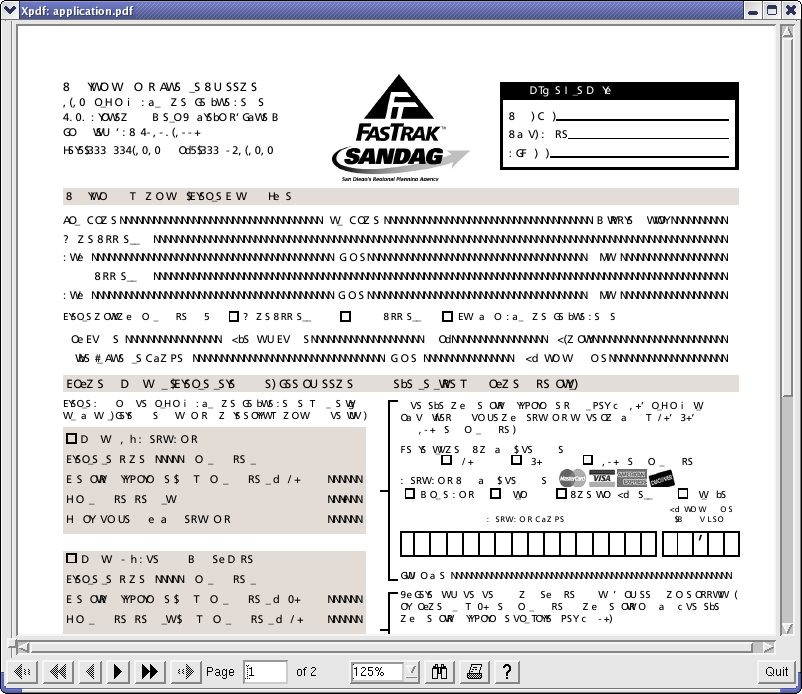
I'm keen on getting Fastrak set up. It'll cut probably 20 minutes off my commute. I hit their website, read about how you have to fill out a form, then downloaded the PDF I'm supposed to fill out and send in.
I thought PDF was supposed to be "portable", because all I see is this. Buh?
I think my work computer is from space, and I cannot speak its language.
Linux on a used cash register, part deux. Had quite a bit of mail about it, too. Seems there's quite a few folks that have old registers and want to use them with non-Windows (or non-SCO, AIX, whatever).
It's sad that I have to tell those guys that I never finished that point-of-sale software thing I started, and that the old cash register has been doing triple duty as a web server, remote login server, and weather station.
My work on getting the led-on-a-stick™ has been well-received, however. I've already sent out two tarballs of sample code.
I saw this picture on one of the aliens prop-making web boards I've been frequenting lately. The dude's using his kid as a host! For making tiny little fuzzy aliens!
For some reason, I can't stop chuckling at this. And I know this isn't going to come out like I mean it, but it sort of makes me want to be a father even more than I already do.
Recently, Hurricane Electric (where I and many other people I know) get hosting sent out an email asking people to turn off a feature they offered called "email wildcarding". In a nutshell, email wildcarding is where any address at a domain which is not already spoken for goes to one catch-all address. I use it dozens of times daily in order to weed out spam. For instance, when I buy something at Fry's online store, I always use 'outpost.com@example.com'. When I buy from Amazon, I use 'amazon.com@example.com'. That might seem like a bizarre scheme, but I can't tell you how may "throwaway" addresses I've got permanently blackholed because some online retailer didn't live up to their bogus privacy statement.
So when HE said that I have to turn that feature off, I was annoyed. It was one of the reasons I liked HE so much. And I use it a lot. But apprently spammers have been finding and using catch-all domains in their spam campaigns.
What they do is have their spamming software generate random addresses at example.com, and then go hit that domain's mail server to see if it'll bounce. When it doesn't, they use that address @example.com on a few dozen spams as the reply-to address. Which means when someone sends the spammers a nastygram reply or the spam email bounces, the person with the catch-all domain gets the reply. Lately, I've been getting around 500-600 bounces and replies per day. I can see why the HE tech was saying that spammers are causing the server load to get too high. My annoyance level has been high. So far, procmail filtering means I don't get to see many of these emails.
However, using procmail isn't the best solution. Turning off wildcarding is. Then the spammers will eventually find out that there's nobody home, and that means the target of their spams probably won't accept their email. I'm all for hurting spammers, even if it means a little hurt for me. (Truth be told, I'm all for the death penalty for spammers, but that's another post. Or a previous one. I forget.)
Anyway, what you have to do if you have an HE account is get all the addresses you want to use (or have used, actually) into your aliases file, pointing to your main account address. The problem is that remembering all them is near to impossible. So I wrote a small perl script that went through all 150+ MB of email I've received in the last five years and found all the addresses that I'd need to add to the aliases file. The script is right here.
Put that in your home directory, make it executable, and then run it. It'll tell you what it needs. Once you have the list, go through it and add whatever you want to your .virtualmail file, then you can turn off wildcarding. You're good to go. Unless you want to make up any new throwaway address, that is. HE only updates their aliases once every three hours, so if you need one, you'll have to know that in advance...
Check this Russian motorcycle out. Does't that look funner than hell?
Before the Soviets went to war with Germany in WWII, they decided they needed an offical motorcycle for their armed forces. They studied various designs, and finally settled on the BMW R71. They nabbed a few examples of the motorcycle and completely reverse-engineered them (much like they did with the B-29 Superfortress). And they've been making them ever since.
I don't think there's a way in which one could ride on of these without looking completely goofy, but I also don't think that would stop me. If past history is any indicator, the risk of being a dork hasn't really been as an effective deterrent for me as it should have been.
I have this feeling that if I get into a mid-life crisis, it's going to be really, really bad. Did you know that you can buy an armored personnel carrier over the Internet? Talk about your ultimate camper...
(I saw all this on Slashdot, but I figure it'll benefit from a little examination. And not all of the three people who will read this frequent Slashdot, so there's no repetition anyway.)
The latest Net craze is phishing: bogus emails, pop-ups and spams which attempt to get the recipient to disclose personal or financial information. Ebay, PayPal and large banks/credit cards are the primary targets. In a nutshell, these fake messages usually try to get people to update or verify their account information. Some say that an account might be deactivated unless the person goes through some steps to keep everthing current. Others ask for an address or phone number update, but you need to "verify your identity" first. The most audacious ones inform "the customer" in as scary a way possible that someone's stolen their account info, and may even tell them to be careful of phishers when reinstating their account. Nearly all offer handy and helpful links or buttons that the user can click on to get started with the information exchange immediately. Isn't that nice of them?
Usually what happens is that those links and buttons are crafted so that they exploit features or weaknesses in most browsers and email clients such that you think you are, for example, going to Household Bank's web site. But you're really going to a very real-looking but completely fake mock-up of a Household Bank page on, say, a Russian web site. This bogus web page saves the personal information you give it, and then the people running the scam either bilk you outright or sell your personal information to people who will then either bilk you or steal your identity. Some of the more fancy phishing schemes even dump you back on a page at the real, official web site after the update or verification or whatever is over. All the better to make people think they were at Citibank's site all along, I guess.
You'd think that emails saying "Hi, we here at Paypal would like you to click this link and enter all your financial and personal information please" would get immediately canned, but phishing apparently has a success rate of about 30%. It's very scary how real some of the phishing scams can look. How many times do you look at the "hover text" when you mouse over a link? How closely do you look at URLs when you finally click that link? How many times do you open a new browser window before going to a web site where you'll have to enter confidential information? When did you disable HTML content in email? Yeah, I thought so. It's a pain in the ass to conduct yourself securely online, so most people don't.
Go take the Phishing Test and see how you do.
By the way, I got 10 out of 10 correct. Whether that's because I knew what to look for in a fake or because (I use a text-only email client) I've never seen a real email from a bank before and so couldn't get lulled into complacency by a logo or whatever, I don't know. I suspect a combination of the two. Because they were all basically new to me, I did read over the email for each question pretty carefully looking for clues. Any spelling or grammar errors, for instance, immediately got it tagged as fake. Whether I'd scrutinize an email in my inbox that closely I don't know. I would pick up on fake URLs. I have to manually copy links in emails and paste them in a separate web browser window in order to view them, and I'd probably notice I was pasting links like http://www.paypal.com@phishers.ru. Actually, I'd probably just delete the email, even if it was legitimate. If my bank or credit card company wants to deal with me, they can buy a stamp. There are some things the Internet isn't good for.
I've always loved Javadoc. It made it really easy to create documentation along with your code. While I'm a commenting freak (even when I'm in a huge rush I sometimes add comments while I work), I've found myself leaving out comments when I should have taken the time to add them. "I'll add comments later..." almost never happens. If you don't have the time to do it right the first time, why would you htink you'll find the time later?
So I've been wanting a Javadoc-style commenting/documentation system for PHP (which is what I've been 80% of my code in the last couple years). By lucky chance, I happened on PhpDoc. It parses comment blocks and creates documentation. Way cool. I think I'm going to start using it, see if I like it.
If you've been wanting to upgrade Fedora Core 1 to Fedora Core 2 using a tool like yum or some such, here's how you do it.
That recipe was based on lots of online help and lots of trial-and-error. And it works. I'm typing this on a machine upgraded via the above method. w00t.
The other day at work, I had some free time and decided to do a little housecleaning. The project that inspired me involved converting at Access database (which had started with Ingress, then moved to two other RDBMS' I can't recall) to Sybase. It was a very, how do you say, "icky" project.
The ickiness came not from the unrelational, completely nonsensical nature of the data, although it was bad. (Seriously: do you ever need to have a whole separate table called "us_resident" containing only two rows with 'yes' and 'no' in it? No. You never need that in a modern database. You use a SET or ENUM or some other list column type in your table.) The ickiness was caused primarily because some tables were keyed by student ID number, and some were keyed by the student's social security number. And of the other 40+ tables, only 1 (one!) had both. I called it the "rosetta table", and I had to do some fairly fancy footwork with its data in order to get at the rest of the database. I just sort of ignored all the thousands of orhpaned records I sometimes found. The admin folks weren't even really sure what all they needed, and I wasn't about to spend my life digging through everything. Student data-enty labor is cheap, and so I made lots of printouts. Some poor undergrad will be unknowingly cursing my name this summer.
This ickiness was further exacerbated by the fact that California passed a law last year called SB 25, and it means that anyone who has SSNs anywhere on a computer had better think long and hard about the delete key. The upshot of the law is that if the machine on which the personal data is stored on gets compromised, you have to let everyone who might be affected that they could, maybe, possibly be a victim of identity theft at some future point. Basically, that's what it said, and everyone on campus has been dumping data with SSNs left and right. Old backup tapes are "going away", email spools are being cleaned, etc.
So this info I was dealing with on my workstation had SSNs all through it, and now that the project was done, I wanted the data gone but permanent like. But the rub was that I needed copy of all the data to have around in case the admin dudes wanted something else from it all at some later point. So I burned a CD of the data to give to the admin group. I figured they could keep it on the shelf (which would satisfy SB 25) and pop it in whenever they needed to find something. To further this aim, I made a little navigable index.html page to all the student info, and I even put in an autorun file which would launch (under Windows) the browser with that index page on it so that the admin people could see all their old data without having to dig too much. That's just the kind of guy I am. Well, that plus I wanted it to be easy for them to find stuff on their own instead of call me. And finally because everyone feels better holding dead trees, I also made some relevant printouts for those same admin folks, and then I had a shredding party with all my work docs. Clearly, my work was done.
While I was shredding the physical media, I got to thinking about the digital media: shredding data on my workstation's hard drive. Simply deleting a file doesn't really delete shit, and my knowing that means that any lawyer in the world could easily prove I should have tried harder to get rid of the copious amounts of SSN-based data I had. That's if I wind up in court, being sued by one or more persons who had their identity stolen based on my negligence in getting rid of their data. Not a likely prospect, but why take chances that don't lead to a payoff?
In talking to my boss about the issue, he mentioned that he recently discovered that there's an app called srm installed by default on his on his Mac OS X laptop. Being similarly concerned about SB 25-ish things, he went and found the aforelinked SourceForge page, and sent me the URL. I was more than happy to use it, but I couldn't get it built onmy Fedora Core 1 system. And I tried, believe me -- but only for a half hour or so.
I only tried for 30 minutes because I realized that I could get the very same thing working in like 15 minutes if I wrote it in something portable, like Perl. So I did. Here's my code:
#!/usr/bin/perl -w
#
# sremove.pl - Removes files psuedo-securely by overwriting the file contents
# with zeroes a user-defineable number of times, then truncating
# and then unlinking the file. Probably not DOD secure, but
# seems to work.
#
# Free for non-commmercial use, with no warranty of fitness expressed or implied.
#
# Wm. Rhodes 4/2004
#
use strict;
use File::Find;
use Getopt::Std;
$|++;
# How many times to overwrite the file with zeroes. A default of 7 seems to be
# an OK number.
our ($opt_p);
getopt('p');
my $num_passes = $opt_p ? $opt_p : 7;
foreach my $file (@ARGV) {
if (-e $file) {
find(\&RemoveFile, $file);
} else {
print "File not found: $file\n";
}
}
# This overwrites our file with zeroes $num_passes number of times, then
# truncates it to some smaller size, then unlinks it.
sub RemoveFile {
my $length = (stat())[7];
print "Deleting file '$_' (",
commify($length),
" bytes) with $num_passes passes... ";
for (my $i=1; $i<=$num_passes; $i++) {
ReWrite($_, $length);
}
ReWrite($_, $num_passes);
unlink($_);
print "Done.\n";
}
sub ReWrite {
my ($file, $length) = @_;
open(FILE, ">$file") || die $!;
print FILE '0' x $length;
close(FILE);
}
sub commify {
local $_ = shift;
1 while s/^(-?\d+)(\d{3})/$1,$2/;
return $_;
}
Now, I'm no computer forensics expert by any stretch. But I did take the time to read through the source of srm, and I did take the time to do some empirical testing in order to make sure that my data was gone.
I installed the Coroner's Toolkit. It's a cool set of apps that lets you recover deleted files. And it will recover anything. I recovered a file from when my two year-old Linux workstation had Windows XP on it (which was only for like two weeks, when I first got it). And, yes, installing Linux over a previous Windows XP installation means a format of the hard drive. And yet I still found WinXP data on the partition that I recovered. I didn't think that was possible, but I saw it with my own eyes. So if formatting a hard drive maybe doesn't really permanently erase data, I was very keen to see if my little Perl script would.
I wound up spending the bulk of a workday testing it. I created a file with a text string that I knew wouldn't be found on my machine. I created the file on a small partition and then deleted the file. Then I ran the Coroner's Toolkit over that partition and recovered all the files I could. I found my deleted file. I then made a new file with another distinctive string on another partition and did the same delete/try-to-recover thing. I found the file. I then made a distinctive string-containing file, erased it, then made a new one with the same name but different contents. I found both of the files. Admittedly, this was not a busy system, but that scared me.
Then I reproduced all those tests after deleting a file using my script above. I couldn't recover any of the file's contents. I even tried it a few times in various places more and got nothing. So I'm pretty sure that the above script works. It appears to work anyway and I'm confident that all that SSN data is gone forever.
Having said that, if you use the above script you are on you own and I make no warranties about its fitness for any purpose. It almost certainly works as advertised, but until I get to see what the NSA can do, I ain't promising shit. Further, if you use it and something breaks, you get to keep both pieces. But I'm feeling good that I did something better than simply 'rm' all those people's personal info, and I think the script is relatively safe to use (although it's not terribly robust as far as error checking and whether files are directories and whatver; it worked for my purposes, so I was done with it).
Anyway, use it if you like.
I was checking on how much bandwidth I used last month on my other site, and I noticed a spike this month already. A glance at the logs tells me that I got posted to Slashdot again. Last time it was about my fooling around with putting Linux on a spare cash register I grabbed from my mom's store. This time, it was an archived copy of the Gopher Manifesto I dumpster-dived from the Google cache of a dead web site at my brother Trey's urging.
Apparently, the news is that someone implemented the gopher protocol in Apache version 2 and the guy who wrote the Perl module linked to my site.
Ok, sure. I used to be quite the fan gopher of gopher (it was the best way to get geological information way back when I had a text-only SLIP connection to the Internet). I guess I looked back on gopher fondly enough to archive the Manifesto, and I did have a gopher server running for a while out of curiosity, but I'm not altogether certain why this is news. The Web has pretty much taken over and there just isn't much room for gopher anymore. I guess some people might need a modern-ish gopher server for something -- like maybe migrating old gopher-only content in alongside a regular web site layout. You'd get to use all the normal web production systems, and serve gopher and HTTP traffic. That's cool, I guess.
BTW, I now have enough first-hand evidence that I can safely say there's nothing like plain, static web pages for surviving a sharp spike in requests. My server was fine both times.
I finally happened upon something I've been searching for a long time now: how to automatically rename the tabs in Konsole so they show what remote host you are logged into, or what your current working directory is (if logged in locally). I tried this new thing out today, and it seriously makes me happy.
So if you use Linux...
[crickets]
And KDE...
[more crickets]
And you use Konsole as your terminal application...
[still hearing crickets]
Then you should really, seriously have a look at Konsolewrap. It'll definitely help you get around in Konsole, especially if you tend to ssh into lots of remote hosts, and depend on Konsole's tabs to keep everything organized.
(The tabs on the bottom in that screencapture would normally say "Shell No. 1", "Shell No. 2" and so on. It's not very helpful because you can't see what each terminal is doing. Plus, KDE version 3.2 has a feature which will pop up a little gray tooltip-like window on the taskbar every time it detects the system bell on one of those terminals. And instead of that tooltip saying "Alert in Shell No1", it'll now say "Alert in fast", and I know that I've got new mail or whatever on the machine called fast.)
I'm very happy. It's the little things in life, you know.
At work today, I turned a perfectly good Linux machine into a Windows XP machine. Windows -> Linux is the wrong direction to be going, but I'll be doing some InstallShield development in the coming months, so I had to go to the Dark Side.
I shed a tiny tear.
I've been catching up on the news. Seems Microsoft went open source. I'm at once amused and sad. Regardless of how I feel personally, the outcome likely won't be good. MS doesn't exactly have a shining record when it comes to security or releasing patches for holes. Now that the ne'er do-wells can see part of the source to windows (albeit an older version), you can bet that they will be pawing through it looking for exploits at maximum speed. I'm betting that we can expect a bunch of Windows security flaws announced in the coming weeks and months.
So it seems that a refresher on the nature of the computer virus is probably warranted. And given the size of the huge gaping hole that recently opened, there'll likely be more than one virus floating around. Which brings us to everyone's favorite topic: the plural form of the word 'virus'.
I came across a Straight Dope article about plurals for latin nouns, and it has some good information. More than I ever wanted to know, as a matter of fact. One part in particular applies here:
There is one more common English -us word borrowed from Latin that doesn't follow any of the rules above: virus. To the Romans a virus was a dangerous or disgusting substance, anything from snake venom to body odor. Ancient grammarians couldn't agree whether the word was a third-declension noun, a fourth-declension noun or in a class by itself, but the one thing they could agree on was that it didn't have a plural form. Ever. To the Romans, it was a mass noun, not a count noun. That hasn't stopped English writers from inventing pseudo-Latin plural forms to cover the modern countable senses of the word. Viri is formed on the false assumption that virus is a second-declension noun. (Viri in fact is the plural of Latin vir, "man".) Virii is an even worse mistake. Only Latin nouns that end in -ius form the plural with -ii. There are no really common English plurals in -ii other than radii. That hasn't stopped people from trying out such atrocious forms as virii and penii. Virii would be the plural of virius, if such a word existed in Latin. Other suggested plurals include virora, vira, virua, and vire. For more on the debate, see http://www.perl.com/language/misc/virus.html. The one inescapable fact is that in classical Latin, there was no plural of the word. In English, the only correct plural is viruses.
And that, I think, is just about enough on the topic of viruses for the foreseeable future.
I've got ths Linux box at work that I use occasionally. It was built using one of our "offcial" images, but I recently found out that the automated updating process wasn't hitting this particular machine. "I thought you were updating that box youself..." is what I heard. So a-patching I will go.
Since it's a Red hat 7.3 machine, it's no longer supported by Red Hat's up2date service. So installing apt seemed like a good solution. Turns out this machine was more out of date than I had imagined:
wrhodes@foo:/tmp $ sudo apt-get dist-upgrade
Reading Package Lists... Done
Building Dependency Tree... Done
Calculating Upgrade... Done
The following packages will be upgraded
4Suite Canna Canna-devel Canna-libs FreeWnn FreeWnn-common GConf GConf-devel ImageMagick LPRng ORBit ORBit-devel Omni Omni-foomatic PyXML SDL SDL_image SDL_mixer SDL_net SysVinit VFlib2 VFlib2-devel WindowMaker WindowMaker-libs Wnn6-SDK Wnn6-SDK-devel XFree86 XFree86-100dpi-fonts XFree86-75dpi-fonts XFree86-ISO8859-15-100dpi-fonts XFree86-ISO8859-15-75dpi-fonts XFree86-ISO8859-2-100dpi-fonts XFree86-ISO8859-2-75dpi-fonts XFree86-ISO8859-9-100dpi-fonts XFree86-ISO8859-9-75dpi-fonts XFree86-cyrillic-fonts XFree86-devel XFree86-libs XFree86-tools XFree86-twm XFree86-xdm XFree86-xfs Xaw3d Xaw3d-devel Xconfigurator a2ps abiword alchemist amanda amanda-client ami ami-gnome apel apmd arpwatch arts aspell aspell-ca aspell-da aspell-de aspell-en-ca aspell-en-gb aspell-es aspell-fr aspell-it aspell-nl aspell-no aspell-pt aspell-pt_BR aspell-sv audiofile audiofile-devel aumix authconfig autoconf autoconvert autoconvert-xchat autofs automake autorun balsa bash bc bg5ps binutils bison blas blas-man bonobo bonobo-devel bug-buddy bzip2 bzip2-devel bzip2-libs cWnn cWnn-common cdecl cdlabelgen cdp cdparanoia chkconfig cipe console-tools control-center control-center-devel cpio cpp cracklib cracklib-dicts ctags curl curl-devel cyrus-sasl cyrus-sasl-devel cyrus-sasl-md5 cyrus-sasl-plain dateconfig db1 db1-devel db2 db3 db3-devel db3-utils ddd ddskk dhcpcd diffutils docbook-style-dsssl docbook-utils docbook-utils-pdf dos2unix dosfstools doxygen dump e2fsprogs e2fsprogs-devel ed eel efax eject emacs emacs-leim enscript esound esound-devel expat expat-devel fam fam-devel findutils firewall-config flex foomatic fortune-mod freetype freetype-devel ftp fvwm2 fvwm2-icons gaim gal galeon gawk gcc gcc-c++ gcc-chill gcc-g77 gcc-java gcc-objc gdbm gdbm-devel gdk-pixbuf gdk-pixbuf-devel gdk-pixbuf-gnome gdm gedit gettext gftp ghostscript giftrans gimp gimp-devel glade glibc glibc-common glibc-devel gmp gmp-devel gnome-applets gnome-audio gnome-audio-extra gnome-core gnome-core-devel gnome-games gnome-games-devel gnome-libs gnome-libs-devel gnome-print gnome-utils gnome-vfs gnome-vfs-extras gnorpm gnumeric gnupg gnuplot gphoto gpm gpm-devel gq grep groff groff-perl grub gtk+ gtk+-devel gtk-engines gtkhtml guile gzip hdparm hotplug htmlview hwbrowser ical imap indent indexhtml info initscripts ipchains iproute iputils jadetex jisksp14 joe kWnn kakasi kakasi-devel kbdconfig kdbg kdeaddons-kate kdeaddons-kicker kdeaddons-konqueror kdeaddons-noatun kdeadmin kdeartwork kdeartwork-locolor kdebase kdebindings kdebindings-kmozilla kdelibs kdelibs-devel kdepim kdevelop kdoc koffice kon2 kon2-fonts krb5-devel krb5-libs krbafs krbafs-devel ksconfig ksymoops kterm kudzu kudzu-devel lapack lapack-man less lesstif lesstif-devel lha libao libao-devel libcap libgal7 libgcj libgcj-devel libglade libglade-devel libgnomeprint15 libgtop libgtop-devel libjpeg libjpeg-devel libmng libmng-devel libogg libogg-devel libole2 libpcap librep librep-devel librsvg libstdc++ libstdc++-devel libtabe libtabe-devel libtiff libtiff-devel libtool libtool-libs libungif libungif-devel libuser libvorbis libvorbis-devel libxml libxml-devel libxml2 libxslt licq licq-gnome licq-kde lm_sensors locale_config lockdev lockdev-devel logrotate logwatch lokkit losetup m4 magicdev mailcap man-pages mc mew mingetty miniChinput mkbootdisk mkinitrd mktemp mkxauth mount mouseconfig mozilla mozilla-chat mozilla-devel mozilla-dom-inspector mozilla-js-debugger mozilla-mail mozilla-nspr mozilla-nspr-devel mozilla-nss mozilla-nss-devel mozilla-psm mpage mpg321 mt-st mysql mysql-devel mysql-server nautilus nautilus-mozilla ncftp ncompress ncurses ncurses-devel net-tools netpbm netpbm-devel netpbm-progs newt newt-devel nfs-utils njamd nmap nmap-frontend nscd ntp ntsysv nvi-m17n nvi-m17n-canna oaf oaf-devel octave openjade pam pam-devel pam_krb5 parted passwd patch pax pciutils pciutils-devel pcre pcre-devel pdksh perl perl-CGI perl-CPAN perl-DB_File perl-DateManip perl-Digest-MD5 perl-File-MMagic perl-HTML-Parser perl-HTML-Tagset perl-MIME-Base64 perl-NDBM_File perl-Parse-Yapp perl-Storable perl-URI perl-XML-Dumper perl-XML-Encoding perl-XML-Grove perl-XML-Parser perl-XML-Twig perl-libnet perl-libwww-perl perl-libxml-enno perl-libxml-perl perl-suidperl pidentd pine pinfo pkgconfig popt portmap printconf printconf-gui procmail procps psgml psmisc pspell pwdb pygnome pygnome-libglade pygtk pygtk-libglade python python-devel python-docs qt qt-designer qt-devel radvd raidtools rdate readline readline-devel redhat-config-network redhat-config-users redhat-release reiserfs-utils rep-gtk rep-gtk-gnome rep-gtk-libglade rhn_register rhn_register-gnome rmt rpm rpm-build rpm-devel rpm-python rpmfind samba-client samba-common sane-backends sane-backends-devel sane-frontends sawfish screen scrollkeeper sed semi sendmail sendmail-cf sendmail-devel sendmail-doc serviceconf setserial setup sgml-common sh-utils shapecfg sharutils skkdic skkinput slang slang-devel smpeg sndconfig sox specspo stat strace sudo swig switchdesk switchdesk-gnome switchdesk-kde sysklogd sysstat tWnn taipeifonts tcl tcpdump tetex tetex-afm tetex-dvilj tetex-dvips tetex-fonts tetex-latex tetex-xdvi texinfo textutils time timeconfig timidity++ tix tk tkinter tmpwatch traceroute tree ttfonts ttfonts-ja ttfonts-ko ttfonts-zh_CN ttfonts-zh_TW ucd-snmp ucd-snmp-utils units unix2dos up2date up2date-gnome urw-fonts usbview usermode util-linux vixie-cron vnc vnc-server w3c-libwww wget which whois wine wl words xawtv xchat xcin xdelta xemacs xemacs-el xemacs-info xinitrc xmms xmms-gnome xpdf xsane yp-tools ypbind ypserv zip
The following packages will be REPLACED:
Mesa (by XFree86-libs) Mesa-devel (by XFree86-devel) XFree86-KOI8-R (by fonts-KOI8-R) XFree86-KOI8-R-75dpi-fonts (by fonts-KOI8-R-75dpi) XFree86-jpfonts (by fonts-ja) docbook-dtd30-sgml (by docbook-dtds) docbook-dtd31-sgml (by docbook-dtds) docbook-dtd40-sgml (by docbook-dtds) docbook-dtd41-sgml (by docbook-dtds) emacs-X11 (by emacs) emacs-nox (by emacs) im (by mew-common) kdegraphics (by libkscan) kdelibs-sound (by kdelibs, arts) kdelibs-sound-devel (by arts-devel) kdemultimedia (by noatun, kdemultimedia-libs, kdemultimedia-arts) kdenetwork (by lisa) kdesdk (by kdesdk-kspy) kdeutils (by ktimer) lclint (by splint) links (by elinks) sgml-tools (by linuxdoc-tools) vorbis (by vorbis-tools)
The following packages will be REMOVED:
opera
The following NEW packages will be installed:
Distutils Glide3 XFree86-base-fonts XFree86-font-utils arts-devel atk cdparanoia-libs cups-libs db3x docbook-dtds elinks fonts-KOI8-R fonts-KOI8-R-75dpi fonts-ja glib2 gnome-mime-data gtk2 hesiod hwdata intltool kdemultimedia-arts kdemultimedia-libs kdesdk-kspy ktimer libgal19 libglade2 libid3tag libkscan libmad libusb libvorbis10rc3 linuxdoc-tools lisa mew-common noatun openmotif pango postgresql-libs pygtk2 pygtk2-libglade python-clap python2 qt2 splint usbutils usermode-gtk vorbis-tools wl-common xml-common
560 packages upgraded, 49 newly installed, 23 replaced, 1 removed and 0 not upgraded.
Need to get 711MB of archives.
After unpacking 92.2MB of additional disk space will be used.
Do you want to continue? [Y/n]
OK, that's just silly. Wonder how long this will take to run...
I broke into 5 computers today (well, 4 servers and a Cisco router). They weren't my computers. I've never had root on a machine that wasn't mine before (although I have had root on some interesting, if not completely 100% legitimate, places), but today I was encouraged to compromise a bunch of machines in any way I could -- and I was even give tools to do so. It was hellaciously fun and 100% legitimate.
My friend Scott had me and some other local tech folks over at a hands-on presentation/demonstration at his place of work. Since Scott works for a company that "deals with national security", and his job (as I understand it) is to make sure that "people" can figure out how ne'er-do-wells are breaking into their networked computer systems by teaching them how to break into machines themselves, the subject of today's exercise was geared toward throwing us at an array of machines and seeing how many we could crack into. It was a contest, in other words. I didn't do too bad, I guess. Five out of 7 isn't so bad, I figured. For a newbie and all. It's my first time being a bad guy...
Scott's got this entire lab of a couple dozen machines set up with like 9 operating systems, some old workstations running Solaris, and a private network (off the 'Net). We had all these tools, and a 45 minute slideshow overview on network security, what tools people use, etc. Then we were given a host to log into and told to go at it. That's simplifying it greatly, but since I'd seen very few of the tools used, it was all pretty foreign. I'm used to looking at security from a "best practices" point of view. You keep everything patched, keep stuff turned off if you don't need it, look for intrusions on a regular basis, and so on. This was on the other side: we had to be the aggressor and get into these machines, and all we knew was their IP addresses.
So I had a good time today. Mostly it was a matter of nmapping the subnet, then nmapping each host in detail. Then you had to figure out what OS was running on that host (their version of namp doesn't accept the -O flag, so that was sometimes fun), and what exploit was likely given that and some guesswork (hint, hint: even one password is a huge nugget for a bad guy to get, and if they can get one, it's way easier to get others). If you have a user account that can be accessd via a network connection, make sure it a good one.
There's a really good tool called Hydra which will try a dictionary attack against nearly any common service. Everyone was running that today but for some reason, I couldn't get it to work. In fact, I never even saw what it gave as output until the very end of the day when Scott gave us hand-outs about how each machine could be cracked. I ran it and ran it, but never got anything out of hydra. I resorted to nmapping the target and trying all the tools I could think that might apply. It was a little slower, but I got as many machines as everyone except Tony (who got all 7 plus one "bonus" machine that Scott had him go up against) and Kelly (who got one which I probably shouldn't have given up on; see below). In retrospect, I would have immediately ran hydra (using the smaller password list) against every host once I first logged on and found what hosts were active. I'd have had 3 login accounts by the time lunch was done. And once you can log in, well...
The most annoying thing today was that after the you mastered the basics, it got very rote. It boiled down to a fairly straightforwrd matter of correlating which tool worked against which particular operating system and its possible range of services -- you just had to find the tool! For example, if you portscanned a machine and saw that it was running ftp, ssh, finger, and sendmail (plus some other uninteresting junk) running, after some poking, you could find out the OS. And you could do this discovery in a very regular way, machine after machine. And once you regularly discovered what each machine was, and then regularly discovered what was on each machine, you could simply run through the directory of exploits Scott's team has set up for that OS, service by service. See a pattern? It's easily scriptable. Look at every machine, find every service, try every one, easiest first. My frustration was a matter of me wanting to do a brute-forcing of the inscrutability of Scott's tools and their lack of documention (to his credit, all of the tools were written by hackers out in the wild, and so Scott can be forgiven for lack of helpful documentation -- command-line or otherwise). I just couldn't past by the feeling that me typing away trying to find that one certain exploit (which may or may not work) was a waste of a good algorithm.
I *seriously* considered writing a script that would do the above. Why didn't I? Well, I didn't really know the syntax of all the tools they had, although I could have scripted just a few of them of them and gotten good results. In fact, I'd say tool syntax ignorance was the major barrier to productivity (Scott, if you're reading this: Put up a default slide on hypothetical smbclient, nbaudit, nikto, john, hydra and [even] nmap commands). I also wanted to try things in a more hands-on way. You can't automate something very well unless you you know what it is you are trying to automate. And the way I would have written the script, it would have needed way more than the 4 hour window it would have had to run (because while hydra might be cool and all, when it fuckin' segfaults -- for the SECOND TIME -- after an hour of trying to run it, you'd have to worry more about scripting-in some error handling than trying new exploits). I'm not all that fast a programmer, either. And I would have spent too much time looking at the code of the exploit tool (the plain-text ones anyway; I wound up finding a few bugs as it was, and that was curbing my "this-is-how-you-indent" anal-retentiveness). And I'm not getting paid to write code for Scott's company. :-) They have much smarter folks than myself who would have already written those tools if they had needed them, I figure. And (last "and", I swear) hands-on experience is what we were after. Writing custom tools on-the-fly is 1337 and all, but that wasn't the point of the exercise. And (sorry...) Tony didn't need any ad-hoc tools to get root on every possible machine, nor did Kelley need anything but perserverance to get access to every machine but one. I needed to get more Soviet and less German in my "pen-test" engineering.
All in all, I'd say today was one of the more poignant hacker experiences of my life, and I'd repeat it in a heartbeat. It's always good to be around people who know more than you do. Now that I have a half-clue on what their particular environment is like, I'd be all that much more into it.
When I got home, I wound up trying some of the tools I'd been exposed to today. I'm not doing too bad as it turns out) my own hosts are way more difficult targets than what they had us crack today). Although if I go again to a penetration-test workshop again, I'm either bringing my own keyboard and/or my own laptop. My wrists are killing me.
So I'm trying to re-subscribe to the Gallery project's announcement mailing list from their page of mailing lists. I got this error:
Mailman CGI error!!!
The expected gid of the Mailman CGI wrapper did not match the gid as set by the Web server.
The most likely cause is that Mailman was configured and installed incorrectly. Please read the INSTALL instructions again, paying close attention to the --with-cgi-gid configure option. This entry is being stored in your syslog:
Failure to exec script. WANTED gid 33, GOT gid 48. (Reconfigure to take 48?)I've been getting errors on sourceforge.net since this afternoon. Looks like someone has been building new boxes. I hope SourceForge's problems don't involve a compromise.
I recently decided to change registrars for my other domain, 27.org. It's handled by NetworkSolutions right now, because when I registered the name (in 1997) the only group who did registration was InterNIC, which was a joint venture between the US government and NetSol set up to handle domain registration. NetSol isn't well loved (more on that later), and any budding monopoly needs to get some competition.
My "service" with NetSol hasn't been bad or anything, it's just that their "services" leave something to be desired. For example, if you want to do anything with DNS within your domain (other than switch name servers around), you need to pay them an additional $25 per domain per year. Other registrars, such as register.com and GoDaddy will also host DNS for any domain they register free of charge. Since I need to monkey with DNS on 27.org, I decided to switch registrars and see what the marketplace had to offer.
I have two other domains at register.com, and they were the natural choice. The trouble is that they apparently don't handle .org domains. Why? No clue. I expect it might have something to do with Public Interest Registry taking over the .org registry earlier this year.
In any case, register.com's web site is misleading. Before starting the tranfser, I read through all their documention about how transfers work. Nothing in there mentioned them not handling .org domains. It was only when I went to initiate the transfer using their web app that I was told I couldn't transfer .org domains to them. So I wrote the customer service department a letter last night, and I got a reply this morning:
> I'm wondering if I can tranfser my .org
> domain name to register.com. Your page at
>
> http://www.register.
> com//faq/transfer-register-q3.cgi?> 1|3753131928|
>
> Says this:
>
> "At this time, only .com, .net and .org
> domain name registrations can be transferred
> to Register.com."
>
> But when I use the transfer tool on your
> site, I get this error:
>
> "Note: Only .com and .net domain names are
> eligible to be transferred to register.com.
> Therefore, the following domain name(s) will
> not be included in this transaction."
>
> So which is it? Why can't I transfer my domain
> to you?
Dear William,
Thank you for contacting Register.com regarding the domain name "27.org".
Currently Register.com is not accepting transfer of .org extension domain names to Register.com. Only .com and .net domain names are eligible to be transferred to register.com.
We would like to inform you that whenever we accept transefer of .org extension domain names to us, the information would be updated on our web site.
Moreover, Register.com does not accept registration/transfer of two character domain names.
We sincerely apologize for the inconvenience caused to you in this regard.
Well ain't that a slap on the ass. I can dig the part about them not wanting (or not being able to) to touch .org because PIR is handling it now, but what's the deal with that "two character domain" thing? What's the stigma attached to two character domains? I was hoping to have all my eggs in one basket, but I guess I can't.
The funny thing is that when I first went to register my domain in '97, I wanted to register 27.com, not .org. InterNIC wouldn't let me. They said it was "reserved". It must have become unreserved at some point, because it was registered in 1998 by a domain squatter. I actually like .org better anyway.
Here's a registrar changing tip: if you are transferring a domain away from NetSol, you might need a thing called an "authorization code" from them. You will definitely need one if you are moving a .biz or .us domain. I discovered that I needed it when I went to confirm the registrar change on GoDaddy's web site. There was the two buttons asking me to accept or decline the transfer, and this little text box asking me for an auth code. I had to call GoDaddy's tech support line to find out where to get that code since Google wasn't very helpful. I was only on hold for about 10 minutes, but they had Squirrel Nut Zippers playing as their hold music, which made it fine (I wound up turning up the volumen on my phone even). They said NetSol has to give it to me, and NetSol (predictably) has no real search feature on their site. I wound up having to call their support line to get it. Imagine my surprise to find a phone menu option for moving domains away from NetSol buried deep in their system. 10 minutes later, I had the code.
Verisign now owns NetSol, and they certainly aren't well-loved given things like their extremely presumptuous and Net-breaking SiteFinder "service" (in addition to other questionable practices). Honestly, that's not why I switched -- although the SiteFinder thing got me thinking about switching when it debuted a few months ago. But now that I think about it, Verisign is just sorta slimy and I'm glad I'm moving away from them. There's tiny evidence of this sliminess everywhere, like in charging for basic DNS sevices (and scamming people into paying to do so, according to some people). Verisign is just vaguely icky. When I called late last night to get that auth code, their 888 number starts off with a message saying "Our standard business hours are so and so. Please call back then". If you wait about 5 seconds, you get that same voice coming back with a menu of options. No doubt they figure people will hang up right away and call back during daytime hours when the cheap phone center help is working. And there's nothing wrong with this, by any means. It's just sorta creepy and calculating and deceptive. It makes you wonder what else they're up to.
Aside from the dumb name, I think I'll be happy with GoDaddy. They have a really nice website that lets you do all sorts of stuff with your domain. They're cheap too: it's only going to cost $8.95 a year to keep up my .org domain, vs. $35 a year for NetSol/Verisign. (The transfer fee was only $6.95, and they added a one year extension as well. Register.com wanted $35 to transfer with no extension.) We'll see how they do. At very least they aren't any worse, feature-wise, than NetSol and are a lot cheaper. I basically just need them to host DNS as well as act as my registrar, so I don't think I'll run into any problems.
All you need to know about GNOME (and its bloat) can be found in the words of the project's founder:
"I think the paperclip is a great idea."
That's just fabulous, Miguel.
One of my all-time favorite programs is GKrellM. I love it. I'm a sucker for monitoring apps, and this one is the best there is (for free, anway). I typically use it to monitor a machine I'm logged into, but with version 2, you can connect a local client piece to a remote server process and monitor that machine from a distance. Even better, you can make this connection very secure so that eavesdroppers can't get intimate details of your machine. If you want to use GKrellM to remotely monitor a server over an ssh tunnel, here's how you do it:
After you run that, you should see GKrellM start up. It's connected to the remote server via your encrypted tunnel, so it's plenty safe. Right click onthe top part and configure it however you like. By using the '-f' flag, any changes you make to this monitor's configuration won't affect any locally running instances of GKrellM. You can even skin it differently.
It sounds way harder than it is (it should only take about 15 minutes to set all this up), but it's really worth it.
Proof that no application is without (at least the occasional) security flaw, Opera might have an issue, as reported in the latest SecuirityFocus Linux newsletter:
1. Opera Web Browser IFRAME Zone Restriction Bypass Vulnerability BugTraq ID: 8887 Remote: Yes Date Published: Oct 24 2003 Relevant URL: http://www.securityfocus.com/bid/8887 Summary: Opera is a web browser available for a number of platforms, including Microsoft Windows, Linux and Unix variants and Apple MacOS.A flaw in the Opera web browsers security model has been discovered that could allow an attacker to access a users file system within the Local Zone. The problem occurs when handling malformed HTML iframes which point to local system locations. Exploitation of this vulnerability could result in the exposure of sensitive data or could potentially lead to the corruption of system critical files. Symantec has confirmed that the proof of concept provided by the researcher effectively gains opens access to the local file system, however it has not been confirmed whether the local files may be modified.
It should be noted that due to the nature of this vulnerability it may theoretically be possible to leverage the condition to execute arbitrary code. However, Symantec is currently unaware if a method exists under which Opera can be influenced to carry out this type of operation.
This vulnerability is believed to affect the latest release of Opera as well as prior releases.
**UPDATE: The vendor has contacted Symantec and has stated that this is not a vulnerability. Symantec has not been able to reproduce the claims made by the individual who reported this issue. This record is being retired, though it may be re-activated if further findings confirm existence of the vulnerability.
That part about possibly "executing arbitrary code" is noteworthy. This is one area where operating systems like Linux and BSD (and OS X) differ from Windows. If this latest hole exists, and if the attacker can leverage it to execute code, the worst that could happen is that it would execute code as the user which started the application. It could delete my files, for instance. But it couldn't start/stop services, reboot the machine, access other user accounts, etc. Because I'm just a user, not the root user. I can't execute any bit of code I choose. Put another way, there are some programs that I cannot run, unless I log in as the root user, or I run a special command first (and give it a password). This keeps me safe. This is also why Linux distributions like Lindows are woefully insecure. There are just some Windows "features" which need not be emulated. Getting rooted by viewing web pages as a non-privileged user is one of them.
Anyway, because I value my files, I'll be watching this one carefully.
BTW, This isn't the same bug as described in the latest @stake Opera advisory. That one was fixed in version 7.2. (Although you wouldn't have been able to guess the severity of the situation from their rather understated changelog message: "Fixed a crash caused by illegally escaped server name". I'd have liked something a little more descriptively sinister.)
The latest version of XScreesaver (version 4.14) is out. The entry which says "Another Windows crash in bsod" is of particular note to me since it's what I added last month.
I just downloaded and compiled the package, then copied the hacks/bsod executable to /usr/X11R6/lib/xscreensaver/ (where Red Hat 9 has the rest of the the default xscreensaver hacks) and ran the screensaver setup from within KDE. And I'll be damned if the screensaver "crash" doesn't look exactly like the picture of my wife's Windows XP machine blue-screening. It even has the name of the driver for Tracy's USB SmartMedia card reader that caused the crash (EPUSBDSK.SYS) right there at the bottom. From her PC to mine.
For some reason, I'm more than somewhat tickled about that.
If you find yourself needing a brush-up on RAID, and you like pretty pictures, you might like this site.
I would like everyone to know that I am exercising considerable restaint. Every erg of my would-be super powers are, at this very second, while I type this, being expending against holding back the constant onslaught of thoughts of this sitting in one of these running that.
It's getting very hard to resist. It's like I can feel my fingers typing a credit card number into an ecommerce web site. I can almost see the FedEx tracking page and smell the new electronics coming out of the packaging. I imagine myself pouring over the details of the boot-up screen and then adding -m64 targets to gcc.
But I'm above all that. The 1.33GHz chip in my main machine is plenty fast for what I use it for. I just need to keep repeating that, and try to concentrate on my work. And not go to pricewatch. No, I mustn't do that. That would be regressive.
A while ago, I wrote about how Dan turned me on to a source for clicky, heavy, buckling spring keyboards made from the same parts IBM used to manufacture. He found US supplier for the new units at $50 each, I found a parts reclamation place that had like-new original IBMs for 20 bucks. So I had to let him know of my find. I can't have him recommending knock-off keyboards at $50 when you can get the real deal at less then half the price! Seriously, for the price of one new keyboard sent Down Under, an Aussie could get two IBMs shipped to him. That's getting more for your keyboard dollar. I couldn't, in good conscience, let him keep telling people about the pricey keyboards -- even if that means the reclamation place will sell out their old stock sooner. There's my good deed for the day. Any deities dealing out bad karma can kiss my ass.
By the way, the keyboards work great. My second shipment came in today, as a matter of fact. I actually ordered only three more for 4 total. That's two spares which, given the MTBF of each buckling spring, ought to last me well into my twilight years. That should be fine. Even if they all broke tomorrow I'd still have my Keytronics keyboard collection, most of which are nearly as heavy and clicky as the IBMs. I think I have nearly two dozen keyboards total so I should be OK.
What?
Some people have lots of shoes. Some people have lots of tools. I'm sure any random artist has lots of paintbrushes laying around. How many sneakers do you need? How many slotted screwdrivers? You carry that same brush where ever you go and re-use it? I get around via the network and use the keyboard to do so. It's also what lets me build things for my work. And I relax using it, on several different machines, in several different places. So there.
It's not like I collect women's underwear or anything...
My little cash register -- which is doing triple duty as external web server, remote login server and (via the LED-on-a-stick) wall clock -- has served me well:
[root@ext grub]# uptime 12:41am up 193 days, 12:23, 1 user, load average: 0.09, 0.48, 0.41
But the last iptables bug requires a new kernel, and that means a reboot. Goodbye uptime. We'll see you again next March...
I'm sitting here at home, sick. I've had some non-specific flu like thing since I woke up Sunday morning. High temp (104.something at one point), shakes, sweats. Lots of aches and pains. Joy. So I decided to do something besides veg out in front of a video game: I'll patch all my machines. Red Hat has a program called up2date which (normally) makes this easy. It's like Windows Update: you run it, it connects up to special servers on its own network and finds out what your machine needs. Then it downloads and installs whatever it found missing.
While attempting to get everything current on one of my Linux boxes, I ran into an error:
[wee@localhost tmp]$ sudo up2date --nox -u There was an SSL error: [('SSL routines', 'SSL3_GET_SERVER_CERTIFICATE', 'certificate verify failed')]
After digging around a bit, I found out why. This is, literally, lame. Simply put, the tool used on Red Hat systems to update software packages can't be updated by itself. It needs a new certificate so that it can continue to use SSL, but it can't seem to get that new cert (and whatever else it may need) like it gets any other piece of software. I mean, up2date will even get a new kernel, but it can't get an SSL cert? Something's not right. I think someone somewhere screwed up. I suspect that this is the only time people will need to update up2date manually.
As for the fix: You need to install all the up2date packages manually. You just download them and then run RPM manually. I first have to find out what I have on my system so I know what packages to get from Red Hat:
[wee@localhost tmp]$ rpm -qa | grep up2date up2date-gnome-3.1.23.1-5 up2date-3.1.23.1-5
'up2date-3.1.23.1-5' is the actual installer tool's package, 'up2date-gnome-3.1.23.1-5' is a package with some gui stuff for the up2date program. I need both, so I'll go get the URL of the main up2date package from redhat.com and install it.
[wee@localhost tmp]$ sudo rpm -Uvh http://updates.redhat.com/9/en/os/i386/up2date-3.1.23.2-1.i386.rpm Retrieving http://updates.redhat.com/9/en/os/i386/up2date-3.1.23.2-1.i386.rpm error: Failed dependencies: up2date = 3.1.23.1 is needed by (installed) up2date-gnome-3.1.23.1-5
Well, this mostly sucks. The old up2date-gnome package says that it needs the old up2date package, and won't let me install. Ok. I'll install the new up2date-gnome package then...
[wee@localhost tmp]$ sudo rpm -Uvh http://updates.redhat.com/9/en/os/i386/up2date-gnome-3.1.23.2-1.i386.rpm Retrieving http://updates.redhat.com/9/en/os/i386/up2date-gnome-3.1.23.2-1.i386.rpm error: Failed dependencies: up2date = 3.1.23.2 is needed by up2date-gnome-3.1.23.2-1
I had a feeling this would happen. The new up2date-gnome package needs the new up2date package and it won't let me install. So I have to tell up2date to ignore any dependencies, which is not normally a good thing and should never required. You can get your system into a real mess with unmatched dependencies.
[wee@localhost tmp]$ sudo rpm --nodeps -Uvh http://updates.redhat.com/9/en/os/i386/up2date-3.1.23.2-1.i386.rpm Retrieving http://updates.redhat.com/9/en/os/i386/up2date-3.1.23.2-1.i386.rpm Preparing... ########################################### [100%] 1:up2date ########################################### [100%]
Gee, it worked.
[wee@localhost tmp]$ sudo rpm --nodeps -Uvh http://updates.redhat.com/9/en/os/i386/up2date-gnome-3.1.23.2-1.i386.rpm Retrieving http://updates.redhat.com/9/en/os/i386/up2date-gnome-3.1.23.2-1.i386.rpm Preparing... ########################################### [100%] 1:up2date-gnome ########################################### [100%]
So up2date is ready to patch my machine. Why did it have to be this hard though? For what it's worth, there's a way to avoid this dependency issue, but it's not normally the way I do it.
When I get packages over the network (eg, ones I don't want to actually download and save someplace locally), I let RPM get them. That's what I did above. If you give the rpm command an initial list of packages as arguments it's (usually) smart enough to figure out that it should ignore any deps between the ones it's been given. But I don't usually paste big long URLs when I want to give it multiple RPM packages to install. I tend to just grab them all and save them to some temp directory and use a wildcard. Like so:
[wee@rh8 tmp]$ sudo rpm -Uvh up2date-* Preparing... ########################################### [100%] 1:up2date ########################################### [ 50%] 2:up2date-gnome ########################################### [100%]
No errors (even though there were "internally").
Why'd I post all this? Because RPM is in many ways broken. Because I've had to focus my dayquil-addled mind to run through all these arcane commands on every single Linux box I own. Because there's a workaround of sorts for dependency errors. And to put in a new plug for apt for rpm, which I will be using instead of up2date in a few short months. I used to think that upcoming switch wasn't going to be by choice, but I'm reconsidering that status more and more lately.
I've just made an amazingly wonderful discovery. I'm jabbering with Toddler and his boss about some Linux deal, and in between waiting for the Short Attention Span Twins to actually type something, I'm browsing Dans Data. (His site is where I first heard about the remote control tanks that shoot airsoft pellets. I read him occasionally, and he's always entertaining and informative.) Anyway. I was reading one of his past reviews, and came across his review of a brand-new IBM model 42H1292 101-key keyboard. New. He bought it brand new. I got to get me some of those.
For those that don't know it, I'm an absolute freak when it comes to keyboards. I like the older ones. The ones that have a switch under every key, make a huge clicky noise when a keypress is successful, and weigh like 12 pounds. I have an IBM 42H1292 at work that was made in 1984, and it's my pride and joy. I can type about a billion words per minute on it. It's also the loudest keyboard I've ever heard in my life. Just say no to officemates, I say.
The trouble with those keyboards is that they are very hard to find in decent condition. You can get ones like it, but they invariably have Windows keys, which are worse than useless because they shorten the space bar, obfuscate the control and alt keys, and add no value whatsoever to one's keyboarding experience. Keytronic make a few nice keyboards. They're fairly clicky, have a good heft to them and are about the same size as the IBMs. All the new ones have Windows keys, however. You can occasionally find older non-Windows key models. I'm using one now, as a matter of fact. It's not quite as nice as the IBM, but it does the trick. I've got 7 of them in my closet just in case. So imagine my joy when I happened on Dan's review.
Apparently the Lexmark keyboard stuff was bought out by this company called Unicomp and they make and sell the same keyboard. It's $50, though. That's gotta hurt. A little searching and I find a supplier of old computer parts that sells original IBM 42H1292s for $20 each. That sounds just lovely to me.
I'm ordering one right now. If it's the real deal, I'll be back for a few more.
Google apparently has a new calculator function. It will evaluate lots of different mathematical expressions, but my favorite feature is the conversions it can do. You can convert things like miles to kilometers of figure out how many teaspoons there are in half a cup. It'll even tell you more obscure things like how many watts of power my Toyota can produce or what the speed of light is in furlongs per fortnight.
It's not quite perfect, though. I you want to, for example, calculate the
density of lead in stones per hogshead, then you'd be out of luck. It's still a pretty nice feature.
So if you have a machine which has been compromised by this security flaw, aren't you pretty much done for? If you have another user on your machine who is savvy enough to figure out what you're typing by timing the keystrokes sent to the system's entropy pool, you're pretty much screwed at that point, right? I mean, you'd almost certainly have to have larger issues.
Although on a public system (like a mail server or something) with a few hundred users, I could see someone trying to sit there and listen for when root logs in or whatever. But still... it's not exactly "easily exploitable" (especially if you type like me or Toddler) and someone using it to get root on a box probably has a hundred extra things he knows to try first.
Like a lot of people, I've been getting a lot of email as a result of the Sobig.F trojan. It doesn't look like it's going to let up any time soon, either. And while I'm completely immune to the effects of the trojan, I'm very much not immune to having my inbox fill up from hundreds of bogus emails every few hours.
If you have your mail delivered by a Linux or Unix (or even Mac OS X) mail server, chances are that you have procmail installed. If not, get it. It works very well. (If you have an account at Hurricane Electric, then you have procmail already.) Once you know you can use procmail, create a file in your home directory called .procmailrc. In it, add the following lines:
:0 B
* ^ *Content-Disposition: attachment;
* filename=".*\.(pif|exe|scr)"
/dev/null
That will send every email which has an attachment with the extensions .pif or .exe or .scr to the bit bucket. You won't see any more Sobig emails ever again. There's a downside, though: if someone sends you a "real" email with an executable (like a self-extracting zip file, a program to run, etc.) attached, you won't see that either. And it's non-recoverable. Once somethimg gets sent to /dev/null it's gone forever. I personally never want any executable attachments sent to me, so I'm fine with always throwing them away. If you'd rather send the filtered email to a folder, just change the last line to something like this:
/home/wee/mail/trojan
(Obviously, unless your username is 'wee', you should change it to reflect your account.) Once it's set up that way, you can go through the 'trojan' folder and see what's being filtered. If, after a suffcienly long length of time, you decide that no "real" email has been wrongly maligned, you can simply change the target line back to /dev/null.
BTW, you can also use procmail to filter out normal spam and such. I use it to "blackhole" certain email addresses. I even block whole domains. For example, I will never get any mail from mp3.com (because they just refuse to stop spamming me) or shaw.ca (because 99% of all the email I get from that ISP is spam). Once you start using procmail it's nearly unthinkable to go without it.
So I awoke to find my Gentoo install installed. Upon reboot, I get a surprise: I boffed something in the kernel compile. And the boot floppy I made as part of the install doesn't work. So that's not so fun.
I mostly just want to be able to keep my system upgraded and working. I mean, I don't mind spending 3 hours to test out a new distribution, but if it doesn't work, then I'm not going to go through the whole process again unless I have to. So time to look for another solution. I'll have to come back to Gentoo when I have the time to sit down and figure out what's what. I should probably try a non-laptop install anyway.
This all got me thinking about apt again. It does essentially what I need. If I could just find the right repositories then I'd be set. After a little googling, I came across the KDE for Red Hat Project. They have the newest KDE software -- but in RPM format, munged up like Red Hat likes them, in an apt repository. I added the right lines to my sources list, ran three commands, and when I restarted KDE, I was using the latest version (3.1.3). Then I went and grabbed Quanta (I had to see if I could install a new KDE app) from the KDE ftp site and installed it. Works like a charm. I'm fish'ed over to work and everything. The new version of Quanta seems *much* faster than that the older version that comes with Red Hat 9.
Having once built (upgraded) KDE from sources, I can tell you that I am now a huge fan of apt for RPM.
I also came across the Fedora Linux Home Page during my searches. They have a lot of 3rd party RPMs in an apt repository, and they support Red Hat 9 and the newest Red Hat beta.
One more note: Dag Wieers maintains an apt repository that looks to have a lot of nice software in it (including a lot of perl modules and such). It's worth a look as well.
If I can find enough repositories, I might just be able to keep Red Hat even after it's been EOL'ed.
While waiting for Gentoo to compile, I went browsing the web. I came across one of the coolest programming languages I've ever seen: Chef. That's just genius. I even started writing a little program using their Perl interpreter. But then I had to go over to my install, and when I turned back to my other PC I found my interest had waned somewhat. I'll get back to it one day. It'd be a perfect way to burn through an airplane flight, for instance.
Going back to the dub dub (my install isn't yet finished, it just needed my momentary attention), I came across a langauge I'd been meaning to learn for a long time now: Brainfuck. (Don't bag on me about the non-family-safe naming of the language; I didn't choose it, but it certainly is accurate.) I finally wrote my very first BF program:
>++++++[<+++++++++++>-]<.+++++++.+++..------------.--------------.+++++.---------.>+++[<+++++++++++>-]<.+++.-----------.
It doesn't do much, but now my head hurts. Time for bed.
So I've been on a quest for the last couple months. I'm looking for a new operating system. Or maybe a new version of the one that I use already. I've been a Red Hat user (as a server platform and as a workstation/desktop OS) for a few years now, and it's been nice. Nice enough to buy RHAT, even. I've been using Linux in one way or another since late 1994. While I've also used BSD and Solaris off and on during that period, I'm most comfortable with Linux. It feels right, in a way that Windows never did. I always feel like I'm using someone else's computer when I use Windows, like too many decisions have been made without my input. I don't know how to describe it. I'd like to stick with Linux, but lately Red Hat has made some decisions (no more freely-available and supported consumer products, and absurdly short end-of-life times for past releases being two big ones) that will leave me either hanging, paying, or putting up with whatever I happen to get. So I need to find something else.
Since I've used Red Hat for so long, I'm used to their packaging system, which is called RPM. Other Linux distributions use RPM as well, and so I started taking a look at a couple of them.
I liked SuSE quite a lot. Their install process was amazingly cool. It let me configure everything exactly how I wanted it, and it went out and patched all its software before it was done with the install. That's very nice. It was also a pretty install, nice and graphical. I liked YAST (their set-up and configuration tool) quite a lot as well. Unfortunately, SuSE didn't like my laptop at all; I couldn't get XFree86 4.3 to work to save my life. I even dropped in an X 4.3 config file from when the laptop had Red Hat 9 on it and it just wouldn't work. All I could get operational was framebuffer support. Ugh. No thanks.
I looked at Mandrake next. There was something... weird about it. I can't put my finger on what it was that put me off. It just felt weird. I don't know... like it was too graphical or something. Knoppix was the same way for me. I don't think I can use Mandrake.
The only other distrubutions I can think of that use RPM are Lycoris and Ark Linux. I actually downloaded Ark Linux, but the hardware detection left a little to be desired, and I couldn't install via CD-ROM on my laptop. I'm (mostly unwittingly) using my laptop as a sort of litmus test, since I'd like to have one distribution that I can use on every machine I have. If it won't "easily" go onto my laptop, I have to move on. (Lycoris, BTW, was a non-starter. I detest the Windows XP style.)
So, no RPM for me. But that might not be a bad thing. I've been using apt for RPM in addition to normal up2date on one of my home machines for a few months now, and I've been liking it. Unless I use up2date, I don't get that warm fuzzy feeling that comes with seeing the colored icons in the panel applet for up2date, but c'est al vie.
Moving on to other packaging systems, I take a look at Debian. everyone's been raving about apt for so long, and I've been using it on Red Hat, that I might as well get with the program, eh? The problem with Debian is that there are far too many install choices (with too little information about what comes with each one), and when you get it all installed you're running software that's well over a year old. While that's great for a server, I'm leaning more toward bleeding edge. You know, like a 2.4 kernel or a version of KDE from this century. Something. And yes, I know it's easy to upgrade everything all at once it's the OS installed, but isn't that like installing twice? Why? And, frankly, the whole debate over whether the OS should be called "GNU/Linux" or "Linux" (or "XFree86/KDE/GNU/Linux", or whatever) is just utterly pointless. And more than a little annoying. Debian is not for me I think.
So I found Gentoo. It's configurable, stable, highly customizable, and you can build a system optimized for particular architecture (I've seen reports of a 10% speed increase in certain apps). The package system it uses is called 'portage', and it's based on BSD's 'ports' system. It's pretty darn handy.
I had looked at Gentoo last fall sometime, and had even downloaded a "live cd" (their term for a bootable install CD). I never got around to playing with it very much. I was recently in an email discussion with Eric Lafoon, the fellow that makes Quanta Plus, and we wound up lamenting the recent changes in Red Hat's business strategy. I was originally asking him how I would go about getting an updated version fo Quanta. It only comes with KDE, apparently. To get a new version, I'm going to have to either upgrade KDE (over Red Hat's extensive changes -- a very painful option) or muck around in kde.org's ftp site, grab what I think I need, and tweak things until Quanta compiles. No fun there.
All that led us to a discussion of the relative merits of various Linux distributions. Eric mentioned that if I was using something like Gentoo (or Debian), upgrading anything I want would have been brutally easy. He made some very good points about what Gentoo has over Red Hat.
Paraphrasing Eric, Gentoo users will:
Like I said, those are all very convincing points. The only thing I can see lacking (and this is only because I haven't looked around yet) is some sort of kickstart system like what Red Hat has. We use that at work for every Linux box we install. Gentoo, as far as I can tell, has a fairly detailed install process, even when using their binaries. Gento may take a little more time to install (since you can compile everything, if you want), but the end result will give you a better distribution. My machines at home and work are going to have serious support issues when we can no longer get patches for security holes and the like. And neither me nor my employer can afford the cost of the Advanced Workstation/Server, so we have to figure something out.
I downloaded both the ISOs today (at over 28 megabits per second, thanks to the university-to-university connection betwen my workstation and the mirror site). I'm going to give Gentoo a shot this week on the laptop and see how it goes. It might be what I've been looking for, it might suck. We might end with the "userland" and mildly-supported Red Hat Linux regardless. Either way, having a choice is cool.
(BTW, if you're casting about for Linux distributions to try, have a look at Distribution Watch. They're pretty informative.)
I found this Flash parody of Apple's "Switch" ads rather amusing...
I can't decide if this IRC chat log is sad or funny. I admit to laughing, but I also feel bad for the guy. I mean, forcing a restart is one thing. Deleting files is something else altogether. Sad.
Naw... it's funny.
So I switched from a Linksys BEFSR41 (for firewalling and NAT) combined with a really old Apple Airport (for the laptops) to a D-Link DI-614+. It was on sale as an open box at Best Buy, and a single unit, so it was a good deal. Configuring the Airport from a Linux PC wasn't always the most intuitive task. I'm also in constant danger of running out of plugs. Plus, the D-Link does port address translation, which was a feature I've missed since abandoning my old diskless Linux firewall box. Long story short (Ha! Too Late!), I now have one little, cool-running, silver box that lets me do all my networking stuff, wired or otherwise.
When I made the switch, I noticed a performance improvement. That was a pleasant surprise. The configuration options on the D-Link are numerous, and web-based. More reason to be happy. I also noticed that SSH sessions were timing out after about 15 minutes of "inactivity". That made me a little upset, and very nearly rendered moot all the other good points. I tend to open a lot of SSH sessions to various remote hosts and let them sit around all day so they're close at hand. When I'm done for the day, I turn them all off. Having the D-Link turn them off for me (ungracefully as well; I'd often have to go and kill all the processess from my previous session when I logged back in) was less them optimal. It was really annoying, in fact.
One reason why I like working from home so much is that having everything always open like this for hours on end means I don't "lose my place" like I would if I worked all day and then went home and started back up. I can just leave everything going while I eat or whatever, and I'll be right where I left off at all times (that's also why I like using Opera and it's tabbed browsing). I have a command history for every window, each one is on the right host, etc. I could use regular old job control or screen, and in fact I did for a little bit. But one of my hosting providers doesn't have screen (didn't use to at least) and using jobs for everything can be cumbersome. Besides, ttys are cheap, and konsole has tabbed windows. I like tabbed windows.
After digging around, I found that the D-Links have a TCP timout of 15 minutes, and there's no apparent way to change this setting. The support page for the router like mine (sans wireless capability) has an intersting entry in the changelog for the last firmware upgrade: "Added timeout (7500 sec.) for SSH and Telnet ports". That's an interesting number, because of this:
[wee@hostname wee]$ cat /proc/sys/net/ipv4/tcp_keepalive_time
7200
See, I had tried setting SSH to send TCP keepalive packets (I set it with: echo 'KeepAlive yes' >> ~/.ssh/config), but it wasn't working. I was still getting dropped. Because it does no good to have OpenSSH send keepalive packets every 7,200 seconds when the D-Link was timing out "dead" sessions every 900 seconds. You can find other solutions to this problem, but they're clunky at best. The real fix is to set the timeout on the router itself.
The added timeout fix exists only for the 604 model, not the 614+. Unfortunately, I can't use the firmware for the 604. Mine has wireless capability, and so needs the firmware for the 614+ (it's not like one had 4 ports, and mine had only a single port). I thought about it, though. The final solution for me is to set the tcp_keepalive_time to something below 900. Easily done:
[wee@hostname wee]$ sudo echo 600 > /proc/sys/net/ipv4/tcp_keepalive_time
I used ten minutes just because I wasn't totally sure about the D-Link's 15 minute rule. And while this works, the bummer is that I need to do this on every host from which I wish to use SSH (or anything else that might benefit from not timing out). The right way to solve this is to have a setting in the D-Link. I've written them about it, with no response as of yet. I don't mind setting this on the two or three internal hosts I use for remote logins, but something about it bugs me. While it's nice to have the timeout "problem" gone, there's just something about a sypmtomatic solution that annoys me on a deeper level.
Oh, one more note: If you want to set the tcp_keepalive_time, remember to add a line like the one above to /etc/rc.d/rc.local or some such, because that setting will get overwritten when you reboot.
I have joy, so much joy. I love my fellow man. Or at least my hosting provider.
My other domain is 27.org. I use it mostly for mail and "projects" which can be separated from my semi-informed ramblings here. I keep the two unidirectionally distinct. Meaning, you might see links from here to there, but no links from there to here. This isn't because I mind the cross-pollination, but because 27.org is where I put stuff I wouldn't mind an HR department seeing. Monkeygumbo is just that: a randomness jambalaya. You might find anything here. I like keeping the two separate, with neither being secret. If you find me here then you found what you were looking for without me having to tell you where to go searching. Shame on you. You find 27.org then I hope whatever constructive bit I put up there helps you. Each is open, and I've got nothing to hide (why write it in the first place?). Google sees all.
For about two years now, I've been trying to get my 27.org account (27 and MG are hosted by the same company) moved to a new machine. When I got the domain, a Pentium 2/450 was the shiznit, and 256MB of RAM was beefy. That's what 27.org was hosted on for a long, long time. Up until about 45 minutes ago. I'm now on a quad-cpu 2.80GHz Xeon box. With two gigs of memory. It's bliss. I can't even tell you how nice it is.
See, I actually use my shell account on 27.org. Like, a lot. I've usually got four or eight ssh sessions going throughout the day. For instance, I use pine to check email and I dedicate a shell account for that purpose alone. So I notice when the server would slow down. In fact, just today I was typing something in a vi session and my crappy typing speed was outpacing the character echo by about 30 seconds. Stopping to correct a misspelling was taking over a minute. I checked the load average and it was over 30. Then all my connections got dropped. Some of those had connections to other hosts. You know how annoying that can be?
So making a long story not nearly as short as it could have been, I complained to my hosting company. I even went so far as to write an application which recorded various system metrics and saved them in a database. I figured that if I had a few months history I'd be able to justify my request for a server move. After all, if my web server was a kid, it would be starting first grade this fall. I wanted to be able to prove that it was getting old, and I needed test scores.
What I saw was atrocious. Over six months, the mean load average (doesn't that sound weird?) was something like 3.5. The highest was nearly 160. The 50 highest load average events started at like 60. The server sucked big ass and was a pain to use. I sent many many letters explaining things I've documented, and I worked with tech support to get them data they wanted.
Turns out that they listened. I don't know how useful my data was, but it did get accessed. And now they have a feature that will automatically move you to a newer server (Slackware 9 instead fo Slackware 4... w00t!). And I did it. And I'm happy now. And stuff.
That's all I wanted to say, really. It's made me inordinately glad, this new machine. Well, that and the three Stellas I've had to drink.
If you work on a multi-user Unix-ish system, try using this as your .bashrc file.
You're welcome.
Go take The Geek Test and see how you fare. I'm pretty much hopeless at "61.14398% - Extreme Geek". But I would have scored much higher if it gave out extra points for people who check the source of the page before filling it out to see if they have to enable JavaScript or not in order to complete the form.
For the last month or so, my linux box (the one I use to get most of my work done) has been freezing up occassionally. I hadn't been able to discern exactly why. There's been no one thing that I've done which caused it to happen, so it's been hard to troubleshoot. To complicate matters, it started happening when I got my Shuttle hooked up and started using a mouse and keyboard via a USB KVM switch (which has been real nice; the KVM even does sound). There's a lot that's changed over the last couple months.
I'd never seen it hung after sitting idle, so I thought maybe it was something to do with the USB subsystem, my kernel/drivers, etc. It was frustrating me. Since it only happened "every once in a while" (i.e., I'd get a good one, two or four days uptime) I put it on my list of things to look at later. Hey, I put up with Windows for years. This was nothing new to me. I could handle Linux randomly dying on me for another month or two.
Today I noticed that less (1) froze, and became a defunct process. Then over the course of a half hour or so, a few other new commands I had tried to start began freezing. My Linux box was in the process of going titsup.tar.gz.
I managed to save everything I was working on (although I had to forcefully kill two apps) and even got X shut down. I played with the idea of syncing the filesystem buffers before I rebooted, but a thought struck me: "What if I have bad RAM? Do I want to access it prematurely by flushing the buffers?" I didn't, and opted for a normal reboot. The box crashed and burned about halfway through the shutdown. This is what it looked like. (I've only seen a kernel panic a couple times, so I thought it was worthy of a pic.)
When the machine came up again, I went looking through the system logs. I saw this:
Jun 4 13:34:45 lazlo shutdown: shutting down for system reboot
Jun 4 13:34:45 lazlo init: Switching to runlevel: 6
Jun 4 13:34:46 lazlo login(pam_unix)[2954]: session closed for user wee
Jun 4 13:34:47 lazlo rhnsd[2948]: Exiting
Jun 4 13:34:47 lazlo rhnsd: rhnsd shutdown succeeded
Jun 4 13:34:47 lazlo atd: atd shutdown succeeded
Jun 4 13:34:47 lazlo rc: Stopping keytable: succeeded
Jun 4 13:34:47 lazlo cups: cupsd shutdown succeeded
Jun 4 13:34:47 lazlo xfs[2920]: terminating
Jun 4 13:34:47 lazlo xfs: xfs shutdown succeeded
Jun 4 13:34:47 lazlo mysqld: Stopping MySQL: succeeded
Jun 4 13:34:47 lazlo bcrypt: Unmounting encrypted filesystems.
Jun 4 13:34:48 lazlo rc: Stopping bcrypt: succeeded
Jun 4 13:34:48 lazlo gpm: gpm shutdown succeeded
Jun 4 13:34:49 lazlo httpd: httpd shutdown succeeded
Jun 4 13:34:49 lazlo sshd: sshd -TERM succeeded
Jun 4 13:34:49 lazlo xinetd[2740]: Exiting...
Jun 4 13:34:49 lazlo xinetd: xinetd shutdown succeeded
Jun 4 13:34:50 lazlo crond: crond shutdown succeeded
Jun 4 13:34:50 lazlo apmd[2689]: Exiting
Jun 4 13:34:51 lazlo apmd: apmd shutdown succeeded
Jun 4 13:34:51 lazlo kernel: <1>Unable to handle kernel paging request at virtual address 425d5b78
Jun 4 13:34:51 lazlo kernel: printing eip:
Jun 4 13:34:51 lazlo kernel: c0159748
Jun 4 13:34:51 lazlo kernel: *pde = 00000000
Jun 4 13:34:51 lazlo kernel: Oops: 0000
Jun 4 13:34:51 lazlo kernel: cmpci emu10k1 ac97_codec sound soundcore parport_pc lp parport
Jun 4 13:34:51 lazlo kernel: CPU: 0
Jun 4 13:34:51 lazlo kernel: EIP: 0060:[
Jun 4 13:34:51 lazlo kernel: EFLAGS: 00010a87
Jun 4 13:34:51 lazlo kernel:
Jun 4 13:34:51 lazlo kernel: EIP is at find_inode [kernel] 0x24 (2.4.20-8)
Jun 4 13:34:51 lazlo kernel: eax: 00000000 ebx: 425d5b50 ecx: 00007fff edx: c25c0000
Jun 4 13:34:51 lazlo init: no more processes left in this runlevel
Jun 4 13:34:51 lazlo kernel: esi: 00000000 edi: c25d5b50 ebp: 0017ee58 esp: dbf03e38
Jun 4 13:34:51 lazlo kernel: ds: 0068 es: 0068 ss: 0068
Jun 4 13:34:51 lazlo kernel: Process rc (pid: 7817, stackpage=dbf03000)
Jun 4 13:34:51 lazlo kernel: Stack: 00000000 dec3c640 c24db400 0017ee58 c25d5b50 0017ee58 c24db400 c0159a78
Jun 4 13:34:51 lazlo kernel: c24db400 0017ee58 c25d5b50 00000000 00000000 0017ee58 c7907a40 de64dd80
Jun 4 13:34:51 lazlo kernel: c7907a40 e0868d5c c24db400 0017ee58 00000000 00000000 de6162e4 fffffff4
Jun 4 13:34:51 lazlo kernel: Call Trace: [
Jun 4 13:34:51 lazlo kernel: [
Jun 4 13:34:51 lazlo kernel:
Jun 4 13:34:51 lazlo kernel: Code: 39 6b 28 89 de 75 f1 8b 44 24 20 39 83 94 00 00 00 75 e5 8b
The line highlighted in blue was interesting. Looking through the rest of my system logs, I found a similar line signaling the start of my troubles. I found it 27 times in fact. In all cases, the memory addresses (the hex number at the end of the line) were all very close to one another. So more evidence of a memory issue?
I went and got a copy of Memtest86. It does really thorough tests on you memory, and works independently of any operating system. You put the bootable image right on a floppy and reboot. I decided to put it in my grub.conf. Here's what I have now:
default=0
timeout=10
splashimage=(hd0,0)/grub/splash.xpm.gz
title Red Hat Linux (2.4.20-8)
root (hd0,0)
kernel /vmlinuz-2.4.20-8 ro root=LABEL=/ hdc=ide-scsi
initrd /initrd-2.4.20-8.img
title Memtest86 Memory Tester
root (hd0,0)
kernel /memtest86.bin
On reboot, you select "Memtest86 Memory Tester" and it starts up and goes right into testing. It found a lot of errors, all in a small memory range like I figured. I took the first DIMM (I have two 256MB sticks) out and re-ran the tests again. No errors. Just for completeness' sake, I swapped them and re-ran the tests yet again. I got the same errors as before. Bad RAM it is then.
I've always bought memory from Crucial. Their prices aren't that much higher than anyone else, and they make great RAM. You also get a lifetime warranty and free shipping, so that's a bonus. And I love their memory selector. It knows about every motherboard in the world, and tells you exactly what memory you need. I called Crucial to see if this "lifetime" warranty really existed. I didn't have high hopes, but I figured it was worth a shot. Within 3 minutes of my first calling a guy answered and asked what sort of problem I had. I explained what was happening, what diagnostics I did, and what I thought the issue was. He listened and then told me that I'd be needing a new stick. Then he asked me, "This is the PC2100 DIMM from the Asus A7M266 motherboard, right?" He knew which brand of motherboard I had, what the serial number on the DIMM was, everything. It was sort of surreal, but saved me a lot of time.
He eventually transferred me to another department so they could get my return info. A lady came on and said that I'd be needing an RMA, right, and would I like to have them send me a replacement via FedEx 2nd day air (free of charge) while I send my bad RAM to them? I said I could wait, and that it would be fine if they sent the replacement when they got my defective memory. So then she says, "OK, is email good for you? I can send out return instructions and the RMA to you right now if you want." Is email good for me?! Like, yeah. She had my address and everything on file and ready to go. Before I hung up with her I had an email telling me exactly what I need to do.
I think I'll be buying all my memory from Crucial now, regardless of price. This is an example of exactly how customer service should work.
A couple more MySQL notes I wanted to write down before I forgot.
There's a MySQL Perl module called DBIx-DWIW that looks interesting. The name stands for "DataBase Interface stuff - Do What I Want". Normally, you have to jump through some small hoops to get stuff back from a MySQL query in Perl. You do stuff like set up the connection, set up your query, prepare the statement for execution, excute it and fetch rows within a loop or something, handling each record returned individually. If you just want one row from a DB it's a pain.
Enter DBIx-DWIW. To get a single record, you set up the DB connection like before and then you have something like my @prez = $db->Array("select * from presidents where lname='Kennedy'"); and then you'd have an array called @prez with all JFK's stats. A clever fella can trim the complexity down even further by sticking that "$db->Array" call as the parameter for a foreach loop, or taking an array slice from it directly.
I'm going to take a more in-depth look at it next week.
Second note: I wrote small tool last Thursday that backs up MySQL databases. It works over a network and can back up all the databases on the server, individual databases, etc. It's basically a wrapper around mysqldump, but it has a little smarts thrown in. It store MD5 checksums of the dumped data, for example, and only saves dumps if the contents of the database have changed. It zips up dumped files to save space. And it can keep incremental backup files if needed. This makes it easy to do things like backup the DB, do some work of unknown usefulness/quality, do more backups, and roll back to a know state if you decide the changes aren't what you wanted. You could also just watch your database grow, I guess. It seemed like a useful feature to add in and it was simple to do.
I might make a few additions to it. I'd like to not use mysqldump. Then I could do things like back up only the DBs that the supplied username can see (right now it errors out if you try to back up stuff you aren't allowed to read). If I can keep from shelling out to another program I'd be happy, even thought it's a perfectly reasonable thing to do.
Third note: If you want to see what your MySQL server can do on your hardware, check out SuperSmack. It basically whollops your server and gives you an idea of what's going on.
Fouth and last note: Go and read all about the query cache feature introduced in MySQL 4.0.1. It stores SELECT statements and their results. When a query comes that matches a previous one, the cached result is sent out instead of the statement being re-run and a new result generated. You get things like a minimum speed boost of 238% and 20,000+ queries per second on old (900MHz P3) hardware.
Of course none of the two people that read this site (Hi, Tess!) care about this stuff, but it's as good a place to make notes as any other... :-)
If you have ever used Perl's DBI database interface, then you should most certainly look at DBD::Google. It basically gives you a SQL interface to Google. So that means you can do stuff like SELECT title, URL, hostName FROM Google WHERE q = "monkeygumbo" and call a Perl DB driver to do the dirty work. Here's an example of what the output looks like.
Thinking about this makes my head move around in tiny imaginary circles. I'm one step closer to having a live Google feed (tempered by a Wikipedia feed) installed into my brain and that makes me very happy.
I happened across a really cool web site yesterday called 20Q. It's essentially your normal 20 questions game, but there's no human on the other end. You think of an object and AI software attempts to guess what it is by asking you "animal, vegetable, or minieral?" types of questions. It sounds really easy to stump, but it really isn't. The software actually learns over time as the game is played and is already pretty smart.
The database of objects has been growing for a long time and the software has been around since 1988. It doesn't just remember objects like you think it would (cats are animal, small, furry, etc), it also knows what objects are similar to both unknown and known objects. It uses this knowledge of like objects to refine the questions it asks. If you pick as your object "an electron", then 20Q might arrive at a guess of "a neutron" or "a molecule of water", for example. When you say that the guesses are close, it tends to get them right away. The interesting part is thinking about why it asks a particular question. You're thinking of "Ganymede" and it's asking you if the object you're thinking of "is something you bring along" or if it "weighs more than a duck". Yet even though you might think it's gone off into the deep weeds, it seems to guess what you were thinking of pretty consistently.
I managed to stump it a few times, but there were only a couple times that it really didn't know what I was thinking about; most of the times it had the object in its database and I was answering the questions wrong (or differently than it expected). It didn't know about "mine tailings" but it knew about gold and other mining-related stuff. It didn't strictly know about "a software license" but it knew about patents, a contract, etc. It didn't get "a game show" right off, but knew about TV and such. Picking non-concrete objects like "happiness" or "a tirade" seemed to have the most fuzzy conclusions (probably because my answers to its questions were open to some interpretation), and I think it pretty much got them all even though it didn't really guess them right away. I ended up fooling it with things like surface tension, a pillory, the escape key, islets of langerhans, a sluice and a couple other obscure (but specific) things that popped into my head. And since I had to tell it what objects I was thinking of when it couldn't truly guess them, now it knows all about those things.
If you think about how it works while you play it, then you come to realize that it's pretty fascinating software. I wish the author would hook it up to an Eliza-ish bot, if for no other reason than to make it more spooky to play.
If you use KDE version 3.1 or greater, then you're lucky. It has kio_fish built in. I wrote about this before (it was in the Red Hat 8.0.96 beta) but I hadn't really used it much. I've been doing stuff all morning with it (I upgraded my Windows 2000 machine to Red Hat 9 over the weekend), and I don't think I can live without it.
I started Quanta (the editor I've been using this month until I find something better or start using emacs) and hit the 'Open -> File' dialog. In the 'Location' field, I entered 'fish://wee@hostname' and hit return. After typing in my password for the remote system, I was looking at all the files in my home directory. I found a file, opened it up and started editing it. All the changes are there on the remote system. No more scp'ing things all over the world. I've opened a dozen files so far, and I'm still "logged in" to the remote machine. Very spiffy.
Copying files and directories is really easy, too. You hit 'alt+f2', then type in 'fish://user@hostname' and after entering your password you are there looking at your home directory in Konqueror. Drag and drop whatever files you want from there...
Every KDE app can use kio_fish to access remote loactions. I wish XMMS understood how to use it. But streaming MP3s from a web server works well enough I suppose.
If you ever wanted to do your own Star Wars ASCIImation with Perl, you might try this guy's site.
I really don't need another timewaster, but this is very tempting. I think I might have to try my hand at having my own movie on the dub dub dub where I can act out any scene I want.
Just think of all the strange and lovely things email can bring to your life with Eudora and IE. All the bugs in Pine are so mundane...
Oh, I can't forget Internet Explorer. Browse the web, get pantsed. Can everyone say "execute arbitrary code"? I thought you could.
This guy (who happens to work for a company that makes USB floppy drives) has strung together 5 USB floppy drives to create a striped RAID array. My favorite quote:Now I know this is now just a 4.22 MB drive (acutally it is 3.9MB of usable disk space when mounted). I also understand that carrying 5 USB floppy drives around is not exactly portable, but there is something special and amazing about the speed of this floppy cluster. It is really cool when you access the drives the way they flash each light and spin in no particular order that I can discern. It is of course faster than a standard single drive. I was able to transfer "DEVO Uncontrolable Urge.mp3" which is 3.6 MB in 32 seconds. Which is pretty good I think.
That's the kind of thing that makes me happy that the Internet was successful. Brilliant.
I think I found out what to do with all those 8 and 16MB SmartMedia cards we have laying around...
Well we got to the MySQL Conference in San Jose in one piece. We're at the Doubletree by the airport. The conference is here at the hotel, so it's pretty handy (although expensive: a coffee is $2.45 and a beer is $5; with no other place in walking distance, we're a captive market). It's a good hotel, and we have a nice big room complete with Net access. I remembered to bring that switch and me and Todd are all hooked up to the dub dub dub. Unfortunately, the desk only has one chair, so Toddler has to sit on the luggage rack I found in the closet. Adversity builds the spirit; he'll be in fighting trim in no time.
I attended the database replication talk this morning and learned lots of great stuff in that area. It was hosted by Jeremy Zawodny, the tech lead at Yahoo!. I'm going to set up replication at work to do hot spares, and get a dev server with live data. I'll probably also use it at my mom's store. It's a pretty interesting topic. It's apparently easy to set up, but also easy to break. I also didn't know that MySQL basically replicates queries. It doesn't send actual data across the wire, it sends the update/insert SQL queries to the slaves and then those servers run the statements. Cool stuff.
The free conference lunch line had at least 498 people in it by the time we got there, so after a lovely lunch in the cafe (beef with barley soup and a reuben sandwich; you're welcome, Toddler!) we went to the PHP and MySQL session. It was hosted by none other than Rasmus Lerdorf, the inventor of PHP and another big wig at Yahoo!. It didn't cover MySQL all that much, but it was a great session. A couple things he said really blew my mind. Like PHP having the shortest "Hello World" program of any programming language: you just put the text "Hello World" in a PHP file and the preprocessor will happily print "Hello World" when you run it. "Try that in Java or Perl or C and see what happens... Why shouldn't PHP just print it if you want it to? Why should it complain about something it doesn't understand?" said Rasmus. There was kind of a quiet moment while the people there (standing room only) digested that one. Then you could see the "I get it now..." feeling wash over the crowd.
He also went over some insane things you can do with PHP. Like opening an image file and then reading it into a Flash object and then spinning it around. Spinning logos in PHP. Weird. Then there was the PHP code he showed that allowed one to set up a complete web site (with hundreds/thousands of pages if you want) with only having one PHP script acting as a 404 error handler for Apache. You basically check what the path in the URL request is and then go open a page there. If none exists, you use the URL path info to make a DB query and then print the file at the requested location and serve it up. Then next person that comes along doesn't hit the 404 error handler (and doesn't execute the PHP program) -- they get the file the previous run created. I wanted to pipe up and ask how he manages preventing people from abusing his server but I didn't. (For the terminaly curious: You could write a 3 line perl program that would ask for any number -- millions if you wanted -- of randomly-named files from a dynamic web site bult on his code from the example. That PHP code would nearly always run, and therefore nearly always create useless dummy files. You'd run out of file descriptors or disk space eventually, and this would be an effective denial of service attack on the web site.) I didn't pipe up because I was sitting way in the back (standing up this time) and I figure he was only showing the code as an example of a possibility, not a complete solution. I'm sure anyone putting that code into action on a live server would have to figure out a way to limit the effects of such an attack.
In other news, the conference made the news. Yes, the dolphin thing is everywhere. No, I don't know why the mascot is a dolphin. Yes, I got a t-shirt and it has the dolphin on it. My first vendor shwag in nearly four years. w00t!
Well that's all for now. There's apparently some meet-and-greet dinner event. Todd and I are going to see if we can score form free food and booze. I'll drag my laptop dowstairs tomorrow and Saturday and make notes as I go. More updates later...
I'm heading on out to San Jose for a MySQL Conference. I convinced Toddler to go with me. He needs to get out more, and the room price is the same for one as two anyway. The hotel will pipe a T1 to your room for ten bucks a day, so he won't be completely cut off from the world. Oh, that reminds me: I can't forget to pack some long patch cables and my spare switch.
I'm bringing my laptop, and during the downtime I'm going figure out the best way to replace Red Hat's default MySQL 3.23.x install with the newly-released MySQL version 4. I'll probably write that up and put it on here somewhere. I'm also going to be taking notes and whatnot for work and I'll post whatever I wind up with so I (and the other two people who read the nonsense on this site) can get to it later.
If you want to use a MySQL database to authenticate people with Basic Authentication on an Apache web server (as opposed to using .htaccess files or whatever), don't bother googling for a module name "mod_auth_mysql". You might think that's the right thing to do, but it isn't. There are a bunch of modules that were called "mod_auth_mysql". Seems like everyone who wrote an Apache module wrote one called mod_auth_mysql at one point. There are a lot of dead projects out there.
Instead, just go here and get the one by Vivek Khera. It works with Apache 1.3.x and 2.x. It works as a DSO. It actually compiles, which is nice. And it's brutally simple to use.
This is probably old hat for some people, but I thought I'd post it anyway: Star Wars in ASCII. It's only about half the movie, but I got a kick out of it anyway. I especially dug princess Leia's hair buns, R2-D2 was pretty good, and the bad motivator actually made me laugh out loud.
A book review I wrote Tuesday night was posted on Slashdot. Except for my misspelling of "foreword" I thought it was pretty good.
I learned something too. Turns out that lots of people don't know that the word pejorative can be a noun as well as an adjective.
I installed Red Hat 8.0.94 (8.1 Beta) just now. So far it looks OK. The install is very slick. I like it better than Windows' installer. First time I've ever said that. Really. (NT doesn't count)
It has a fairly new kernel (2.4.20-2.48), that's nice. It has KDE 3.1 and gcc 3.2.1. OpenOffice and all that is also included.
The /etc/sudoers file has more examples in it that previous releases. They give you a sample line which shows how to give all regular users on localhost only shutdown privileges, for example. That's welcome. Way better than giving everyone ALL:ALL.
The slocate database will now by default only show you files for which you have read permissions. Used to be you could see anything with 'locate'. This is good.
They don't ask you to create a non-root account during the install. I think that is simply a beta-only deal though (I've never installed a recent Red Hat beta, so I wouldn't know).
My GeForce4 Ti4200 and Compaq P110 were detected during install. I haven't installed and tested nVidia's 3D drivers yet. I suspect they'll work fine. nVidia is pretty good about that.
The desktop is way smoother than 8.0. I mean, it's sparse. Naturally, I was given GNOME when I started X (I never use a graphical login; I owned a Voodoo card for too many years to fall into that habit). It had nearly nothing on the desktop or taskbar. I switched to KDE and Kandalf's tips showed up, but it looked pretty much the same otherwise. KDE had a pager and a couple more icons, that's about it. Have a look.
When you hit alt+F2 to get the "Run command" dialog, you also get options to shutdown, reboot, etc, right from there. I'm logged in as root, so that may be why. I don't think I've ever logged in as root and then run X on my other Red Hat 8 boxes, so if those options are there then nothing has changed.
Konqueror is looking fine. Real fine. I might even start using it. I need to try out the kio_fish remote file management feature yet (you can ssh from within Konq to some other machine and get to files as if they were local; this works with any KDE app). Konsole crashes when you try to start a new term window. Bug report time.
I didn't try Mozilla but I will soon.
You don't have to register to get up2date working. Seems like it's got an account that doesn't require any authentication. This may be for beta purposes. It said I have no updates, but sendmail version 8.12.7-7 is installed, and it's the one with the holes. Version 8.12.8 is available on Red Hat's web site (and via up2date), but up2date must not allow updates from "previous" releases, and they probably don't make errata packages for beta releases.
Sendmail is running. It's enabled as a service by default. I guess they figure that if you want to install it, you want to run it. Whatever. I would have hoped they'd figure this out by now. The installer ought to have a post-configuration dialog which presents a list of all the daemons you installed and gives you the option to start them at boot. I might file a bug report on that one.
I had to stop sendmail, pcmcia and apmd. I also changed all these to not start at my runlevel. What's odd is that I explicitly installed Apache (it's version 2.0.40-20; Red Hat 8.0 comes with version 2.0.40-11 so they've done some work to it) yet it's not listed in my initscripts. You'd think this would be there.
FINALLY! KDE has all the xscreensaver options GNOME has. It's about time. I've been jonesing for xjack at work. Although I'll probably go back to 'Virtual Machine' like I always do. I love that screensaver. Spheremonics is one I hadn't seen. It's cool looking. 'Course there's always BSOD. Or Bouboule. Swarm. The classics. Heh heh.
I somehow missed installing GKrellM. I dpn't know if it was included in the package list or not. XMMS is. It just doesn't have an MP3 plugin. GKrellM was included. I just installed it. I must have missed it the first time around.
The up2date applet is gone. It just disappeared, heh heh.
I have to say that the coolest part is the integrated kio_fish stuff. From within Konqueror, or Quanta, or any other KDE app, you can just use 'fish://hostname/path/to/files/' and suddenly you're ssh'ed on over to the other machine looking at stuff. You can drag and drop a file (I just copied 864 MB of ISO images, including a directory creation, without even having to think about it), edit a file in place, whatever. This is a feature I don't think I'll be able ot live without once I start using it. I may even have to install kio_fish at work.
I have to say that I was ready to quit Red Hat. But it's looking pretty nice.
Check out this Wired article. Apparently people have been using Google to find common search terms as a vulnerability indicator. No big deal, right? We've all done some grey hat googling. Well, try this search phrase.
The first result link you get is for a Cumberland County Tax Assessment Database. Now click on the database to view. Then in the "House_Number" field, select "greater than or equals" and put the number 1 in the box next to it. You get a database search that matches 80017 of 89070 records. The database has people's names, addresses, what they paid for their house, what tax they paid, etc.
That's very scary. I'm going to write them a letter and let them know that their laundry has been out in the wind a little too long. I guess it's public info, but still a spammer's gold mine.
Apparently the guys over at FreshRPMs offer a version of apt that works with RPM packages. What with Red Hat's asinine End-of-Life announcement, this might be the solution I need. It may be better than switching to KRUD even.
A while back I had some RAID problems. I had a disk fail, and the new disk would give me lots of errors when I moved large amounts of files around. I'd see a lot of these in the logs:
Jan 26 04:15:02 hostname kernel: hdb: dma_intr: status=0x51 { DriveReady SeekComplete Error }
Jan 26 04:15:02 hostname kernel: hdb: dma_intr: error=0x84 { DriveStatusError BadCRC }
I figured out what that was happening. Turns out the one drive in the RAID pair (/dev/hdd) had DMA off, while /dev/hdb had it turned on. I don't know why that was the case. Perhaps my late night fiddling resulting in some sort of fat fingering (wait... that sounded really bad). Anyway, I decided to do some tests by copying about 150MB of MP3s to my array while setting DMA to either on or off.
With DMA on/off (regardless of which drive has DMA on or off), I get the errors. With it set to off/off, I don't get errors, and the array is slower than a wounded prawn and a huge CPU hog: the copy takes around 50 seconds and the load average (basically how busy the CPU is) hovers around 4.50. I don't care about slow since this is an NFS/Samba server and CAT5 is my bottleneck. The CPU load I do care about since the box does other things besides simply serve files. With DMA set to on for both drives, I also don't get the errors, which is very cool. The copy takes around 10 seconds and the load average is about 0.70. All that is to be expected, since DMA gives quite a performance boost. But it's good to know I can turn it on.
Anyway, the mystery of the BadCRC is over, finally. Now I need to look into the mystery of why the roof above my office leaks.
I thought this Sun internal memo was one of the funniest things I'd read in a long time (even if it's probably not true). The 9MB 'Hello World' ranks right up there with '640K ought to be enough for anyone'. Seriously, I think the best part was this bit:
"A study performed by an outside team appears to indicate a rough parity in performance between Java and a common implementation of another OO language called Python (see IEEE Computing, October 2000, "An Empirical Comparison of Seven Programming Languages" by Lutz Prechelt of the University of Karlsruhe)."
This might be old hat to some, but I found a fairly complete list of TiVo hack codes. Greg sent me an email about how to enable 30 second skip-ahead (which makes it easy to fast forward through commercials). I enabled it, found it handy, and thought to look around for other codes. I found the list.
The list above has some pretty nifty features. I also turned on the clock and elapsed time display (press Select Play Select 9 Select to toggle it). I think I might have to enable a bash shell pretty soon. I hope I don't break the TiVo...
Update: I decided to archive the TiVo hack codes form that message board on this site. The power went out recently, and I couldn't seem to reach tivocommunity.com. It was panic; I just can't live without 30 second skip. So now they're all here where I can get to them.
I recently re-imaged my "main" PC at home. I put Windows 2000 Professional on it. I got software for Christmas that will make exact, bit-by-bit copies of DVDs. Found out it only runs on XP or 2000 and so my 3 year old, rarely-used Windows 98 install on my tiny second drive had to go. I only had games on it anyway.
One thing I instantly started missing when using Win2K was virtual desktops. Virtual desktops are really common in the Unix world. Essentially, you get four or 8 or however many desktops, each with their own windows and apps running and taskbars and widgets and so forth. Usually they have hot keys to switch between desktops (on KDE, it's ctrl+tab to cycle through them, for instance), and you can label them, change their wallpaper, etc. Anything you can do to one normal desktop window you can do to virtual ones. It's a great way to do lots of stuff at the same time.
This morning, I found a full-featured shareware app that does just about all of this for the Windows desktop. It's called Cool Desk. Dumb name, nice app. I'm using it now, actually. I've got Winamp, explorer, and a putty window on desktop two, a bunch of WinSCP and putty windows on number 3, and my browser and editor on desktop number one. The taskbar on all the desktops is nice and clean.
It's got a little strip that lives in the quick launch bar that lets you click to each desktop. There's a floating toolbar that allows you to manage windows and desktops, like by sending windows to the other desktops or minimizing them or whatever. You can have different wallpaper and settings for the various desktops as well. You can even change resolutions for each desktop if you want.
My one complaint is that you have to manage windows by using that little floating toolbar. I'd like to be able to right click on a windows's title bar (or it's taskbar button) and do desktop things to it. But it's a small issue, and probably reflects more what I'm used to than any real problem with the software's design. If you find yourself using Windows, it's worth a look. Even though the shareware version isn't crippled in any way, I'll probably end up paying the $25 for it.
I was at SDRIW yesterday and happened to see that one of the public PCs had a web browser open and was displaying some pretty cool stuff. It was opened to the home page of the Cooperative Association for Internet Data Analysis, or CAIDA. After clicking about for a while (we were there about a half hour early for our monthly meeting and I was just killing time at the San Diego Supercomputer Center -- an activity I don't don't mind in the slightest) I came across the CAIDA's Walrus galleries. That is some incredibly cool stuff. I found one image particularly fascinating.
I sitting here watching error messages scroll by fast and furious. And that's OK. It's all good. The errors are fine. Which in a way is a bit refreshing.
I had a disk fail in the RAID1 array of my main fileserver this morning, and I'm rebuilding the mirror. But Linux's IDE drivers on my Asus SD11 motherboard can't handle UDMA66, and so I'm getting a lot of dma_intr: status=0x51 { DriveReady SeekComplete Error } and dma_intr: error=0x84 { DriveStatusError BadCRC } errors. It's not bad, per se. Not good, certainly, but not bad. The data will be there in the end; it'll just take a lot longer to rebuild the mirror. I'm at 56% now, and have been at it about an hour:
[wee@server wee]$ cat /proc/mdstat
Personalities : [raid1]
read_ahead 1024 sectors
md0 : active raid1 hdb1[2] hdd1[1]
78148096 blocks [2/1] [_U]
[===========>.........] recovery = 56.3% (44044372/78148096) finish=27.5min speed=20653K/sec
unused devices: <none>
I went and found a couple old 40pin, 40 conductor IDE cables which I'll use instead. That will force the drives into DMA33 mode, and prevent the errors. That'll mean lessened performance, but when you consider that this machines's sole purpose is to safely store data sent to it over NFS and Samba, the bottleneck isn't the IDE controller and having slower disk access won't matter in the slightest. I'll put the new cables in later. Now it's time for bed.
RAID1 is terribly cool.
I came across a really easy way to resize a bunch of images in one shot:
mkdir reduced
for i in *.jpg; do convert -resize 640x480 $i reduced/$i; done;
That'll take care of a lot grunt work all at once. It's pretty fast as well.
I also learned another cool trick last night. It's apparently pretty easy to make thumbnails (or resized images, as above) with Windows XP. You need to install the Image Resizer app from MS's XP Powertoys package. Then do the following:
I'm going to install this on Tess's PC and see how she likes it.
You can't use CPAN to install the DBD::Sybase Perl drivers on Linux. There are a couple things that need to be tweaked by hand.
1. Download FreeTDS from http://www.freetds.org/. This a free alternative to Sybase's ct-lib library packages (which I couldn't find anywhere on their web or ftp sites, and which I wasn't willing to install the whole DB just to get).
2. Build FreeTDS: './configure --prefix=/usr/local/freetds; make; make install'.
3. Open /usr/local/freetds/etc/freetds.conf and add a section for the server you're using. An example:
# This is an example Sybase server
[SYBASE_EXAMPLE]
host = sybase.example.com
;host = 192.168.1.125
port = 2025
tds version = 5.0
You'll use the string 'SYBASE_EXAMPLE' in your perl scripts as the server to connect to, like so:
my $dbh = DBI->connect("DBI:Sybase:server=SYBASE_EXAMPLE",'user','pass');
4. Download the DBD::Sybase tarball from http://search.cpan.org/CPAN/authors/id/M/ME/MEWP/DBD-Sybase-0.95.tar.gz. (The online docs are at http://search.cpan.org/author/MEWP/DBD-Sybase-0.95/Sybase.pm.)
5. Edit DBD::Sybase's dbdimp.c (it's in the top of the untarred directory), and change every cs_ctx_global() you find to cs_ctx_alloc(). There are probably four occurences to change, so do a global search and replace.
6. Edit DBD::Sybase's CONFIG file (it's also right on top there). Add the following lines:
SYBASE=/usr/local/freetds
EXTRA_LIBS=-linsck
7. Do the standard 'perl Makefile.PL; make; make install'.
8. Run a test script to make sure it all works.
It's another update-a-copia.
I found a good list of well-known ports used by trojans and worms. It's got SubSeven, Slapper, BackOrifice and about everything else you can think of.
On an unrelated note, I also came across a utility called ettercap.
Ettercap is "a multipurpose sniffer/interceptor/logger for switched LAN. It supports active and passive dissection of many protocols (even ciphered ones) and includes many features for network and host analysis". It'll sniff passwords out of lots of common protocols, drop certain packets, re-insert certain packets, and allow one to cause general mayhem. I'm going to install it one day soon and see what I can see. I wish I could use like my neighbor's cable connection, though; I'd like to see what he could possibly see.
I was playing with OpenSSL at work today. Turns out that you can encipher stuff right from the command line. It's pretty cool.
To encrypt something, do this:
/usr/bin/openssl bf-cfb -salt -a
Then you enter the password twice, then the text you want to encrypt, then ctrl+d to finish. You should see some encrypted text. To decrypt that text run this:
/usr/bin/openssl bf-cfb -d -a
Then it'll ask you for the password and then the ciphertext. Hit enter and then ctrl+d when done. You should see plain text.
You could use this as a hinky messaging system. All you'd need is a one-time pad scheme to figure up the password and you'd be able to send ciphertext via email or IM securely. Of course, you could use a GPG or SSL-aware client, but not all of them are (GAIM isn't, for example).
For some reason , I got a bug up my butt today about the haiku error messages from BeOS. When an app encountered an error, the user would get a little poem about it. For example, if you tried to get a web site that didn't exist, the web client (which was called NetPositive) would say something like:
Ephemeral page
I am the Blue Screen of Death.
No one hears your screams.
There were a whole bunch of them, throughout the OS. I remembered installing BeOS 5 Personal Edition years ago and then just hitting reload on a non-existent URL like an idiot for like 30 minutes trying to see all the haiku. It was a small thing, but I thought it was a brilliant, elegant touch and typical of the entire operating system. It was inspired.
I decided that the BeOS haiku would make smashing 404 messages for this site as well.
I posted to Slashdot about software SDSC wrote called "Secure Syslog" which replaces the regular syslog daemon. It's released under UC's standard "free for non-commercial use". Well, I had never seen any official policy on what the license is all about. I went and dug around for like 20 minutes and finally found the UC guidelines for releasing software.
Basically, anything I write can be given away in source form, as long as I follow the policies, include the UC license with it, and stipulate that it's for non-commercial use. I think that's execptionally cool. Anything the CSE department comes up with can be given away free, source and all. Try that at patent-happy Qualcomm.
Red Hat has this thing called the "Red Hat Network", and it has some programs that allow you get get notified when there are updates to your system. Well, it has this little Python script called 'rhn-applet-gui' which places an icon in your system tray. It checks for updates and when one you really need is available, it shows this flashing red "X". I like it, it's a good visual reminder, and I use it at home. At work, however, I couldn't get it to show up. A quick check on the newsgroups shows that there are a couple bugs in the applet and a few people have been having this problem. The posts I've seen have pertained to GNOME, whereas I had the issue with KDE. I finally figured out the solution to why it wasn't showing up. You need to provide a place for it to show up. The applet itself is to dumb to figure this out and warn you if it can't display the icon. Here's what you do:
The thing that was confusing me for so long was the fact that the System Tray wasn't started. It always has been by default, and I don't know why it wasn't now.
After you've logged back in, click on the flashing "X" to configure rhn-update via the menus. One thing you should probably configure is ignoring the kernel updates. They are good to know about, but you don't want to have them installed automatically anyway. In addition, if you are running a custom kernel, you might get something similar to this notice:
You are running kernel-2.4.19-ac4, but it is not installed in RPM format. It is highly recommended that you run the official Red Hat Linux kernels. By running a custom kernel, you will miss out on any security fixes and functionality enhancements provided by Red Hat Linux, and your configuration is unsupported.
This will appear every time you try to get an update, and it's annoying. Go to "Ignored Packages" and move 'kernel' and 'kernel-source' into the ignored packages area to get rid of the notice.
My last entry about adding users to MySQL got me thinking. It might be more than a little silly to duplicate that sort of information here. A simple Google search will probably lead to thousands of pages with that very same information. Yet it's way easier for me to come here and search through my entries than to go to through my old code or notes or even Google -- since I know just where to find it. Hence that entry (and, in fact, the very raison dêtre of this site). So it's not silly as much as scary.
I firmly believe that my memory has gotten worse since the Net and then Google came around. After all, why remember stuff when you can just remember where and how stuff can be looked up? It's easier for me to store pointers to information than the actual information itself as long as retrieval is straightforward and inexpensive. I used to have books and a library and notes; now I've got the economy of scale that is the Internet satisfying both conditions to the extreme. I don't have to remember that the numeric entity reference for an e with a circumflex is 234, for example, as long as I remember that htmlhelp.com has a nice Latin-1 entity reference two clicks from their home page. Now all I need is some sort of hard-wired neural interface (think Snow Crash or a Gibson novel) into Google I'll really be able to off-load mental storage capacity. The one thing I'd have to remember "locally" is to stay on top of applying the latest security patches to my head.
Of course, my system breaks down if either me or the places my "pointers" point to are offline. Which makes this a little worrisome for me. I'd be in trouble without the Net since it's holding so much of my memory. If I ever move to the boonies where Net access is slow or unavailable I'll have to actually start remembering things again.
I had to make a new database today on one of my testing servers at home and for the 75th time, I had to look up the syntax for adding a new user to all the grant tables. So I decided to make a handy cheat sheet for myself here:
From the shell, create the database and then get into MySQL's monitor:
$ mysqladmin -u root -p create db_name;
$ mysql -u root -p mysql
Then when in the monitor do the following:
INSERT INTO host
(host,db,Select_priv,Insert_priv,Update_priv,Delete_priv,Create_priv,Drop_priv)
VALUES ('localhost','db_name','Y', 'Y', 'Y', 'Y', 'Y', 'Y');
INSERT INTO user
(host,user,password)
VALUES ('localhost','username',password('passwd'));
INSERT INTO db
(host,db,user,Select_priv,Insert_priv,Update_priv,Delete_priv,Create_priv,Drop_priv)
VALUES ('localhost','db_name','username','Y','Y','Y','Y','Y','Y');
FLUSH PRIVILEGES;
There: local priviledges for "username" on a handy, easy-to-find page fit for cut-n-paste.
I decided to get my Linux-based cash register site all spiffed up. In case you haven't been keeping up, this time the machine is not going to turn into a register. Rather, it's going to be a tiny, dedicated web server (and formal LED-on-a-stick platform). The question at hand was one of construction, and I've devised and implemented my solution.
You can start at the begining of the story or where I left off.
I was searching for some shell command help last night and came across another hints and tips type page that I found useful. Most old-timers won't find anything surprising, but I found a couple tidbits that made it worth keeping the link alive. The shell script which finds the sizes of the largest directories was kinda neat too. I have one I wrote years ago, but it wasn't that great. My find-fu has never, IMO, been up to snuff.
Also on that site is a page called GIMP for the Artistically Challenged which I found useful. I never knew how to make construction lines in GIMP.
A friend was looking online for a picture of Mike Myers' Simon character from Saturday Night Live. He was having some trouble finding a largish image so I decided to look for one (and I was curious as to what the Simon character was all about since I'd never seen that skit before).
Here is my Google search.
Google is weird. It has these intelligent algorithms for finding out what you want to know by finding your search terms close together (among other ways). So searching for "foo bar" will yield pages with those two words close together.Well, I don't always want that. Every once in a while, I want to see pages which have exactly a certain phrase. I mean, usually Google does a great job finding what I want with its built-in assumptions; it's very smart. But sometimes, I know that I want one word followed by another, as a phrase. Wait -- that's not quite right. Sometimes I want my search terms to be treated like a string, actually, since I don't care about phrases.
For example, say that I want to search for pages that contain the phrase "once in a while". That's a trivial example, I know, but bear with me. If I search Google with the phrase once in a while, I get results for pages that have most of those terms. It you click that link, you'll see in faint grey above the search boxes: "The following words are very common and were not included in your search: in a." It certainly speeds up their search algorithms if they automatically discount some common words, but I wanted to see pages which have that exact string of letters in them, no matter how common the search terms might be.
One way to do this is to go to google.com, then click on Advanced Search, then type in your search terms. But I use my nifty Opera Google shortcuts, and so I never see Google's front page. That means to do exact match searching, I have to search once, then search again to see what I want. That's annoying, and so I found a better way.
It hit me one day that since Google will do searches for pages only within certain domains, that must mean that the dot between the parts of the hostname in the search terms were treated specially. I could easily search for only pages within the domain 'working.without.a.net', and Google would have to not throw away the 'a' as being too common. This must mean, therefore, that any regular search terms separated by periods would be treated specially.
So having tried the search for the terms 'once in a while', now try the search when the bits are separated by periods. You'll see that you get no notice saying that your terms were too common. And you also notice that all 100 results on the search page have the exact phrase 'once in a while'.
Although you can easily get the same results by doing an advanced search and then entering the search terms in the box labeled 'with the exact phrase', this doesn't fit with my shortcuts. Knowing that periods do the exact same thing, all I need to do for advanced searches is hit F8, then the letter g, then 'mike.myers simon' to get my results. This also works well when you've searched for something and want to narrow it down, too. You can just tab up to the search terms box and add periods where necessary and hit return.
One more note: although you might think you can do the same thing with quotes, I've noticed subtle differences. I can't come up with an example right now, but I used to use double quotes to denote phrases (this was what AltaVista used), and I saw that I got slightly different results that way. I think it's because Google might cache certain search terms. It also might treat double quoted search items as phrases and not exact strings. I'm not sure. I do know that I get better results with periods than with quotes.
I was looking at the load on a couple machines at work today. I did it by looking at /proc/loadavg. For those wondering, that's a special file on Linux systems which has information in it about how busy the machine is. You can access it programmatically, by hand, or with whatever and see the load average. Its contents look like this:
[wee@lazlo wee]$ cat /proc/loadavg
0.47 0.16 0.05 2/118 5661
The first three numbers are measures of CPU utilization for the last 1, 5, and 10 minute periods (these are what you see when you run uptime or w). The last two sets of numbers mean... I don't know what they mean. I never really had to look at them before. So I got curious, looked around the web for a bit and finally found out what they mean.
Turns out that the fourth set shows the number of currently running processes as a fraction of the total number of processes. The last set shows the last process ID used.
That's pretty much it, really.
I came across yet another software package that makes me happy every time I see it. It's extremely cool, and kinda clever. It's one of those mostly trivial applications that I never knew existed but always wanted. I had gotten along pretty well without it so far, but I didn't know how much I'd like to use it.
The item in question isn't an application, per se, but an API. And stuff. It's called XOSD. It stands for X On Screen Display. It mimics the sort of text that your DVD player or VCR might momentarily display on your TV. They have an XMMS plugin as well, so when you're listening to music, reducing the volume, skipping a song, whatever, it displays that VCR-like text in some part of your root window.
I've been running gkrellm with the XMMS plugin such that gkrellm minimizes XMMS and the controls are right there on the krell. And now I've got the XOSD bits working and it's all pretty seamless. I don't have an active XMMS window, but I see the XOSD stuff telling me what's playing. I chuckle every time a song changes.
More Linux stuff again. This time it's mini guide on getting two monitors to work with X. My new Dell at work has two outputs (RGB and DVI), and I have two flat panels right next to each other (since I have two PCs right next to each other) and each has dual inputs. So I was thinking that it'd be nice if I nabbed another video card for my one PC and then got dual head working on the DVI-capable one. Then I'd have two dual head PCs, each sharing two monitors.
I came across a nice article on Linux Journal's web site about little-used shell commands. I had never known about 'tac', which basically does what 'cat' does only backwards. (One good example was using 'tail -3 /etc/passwd | tac' to find the newest three user accounts on the system.)
There are more good ones there, and no point in repeating them here. It's worth a read.
If you need to get a leg up on CSS, I found a site which lets you try stuff out pretty easily. Worth a look.
I had an odd task at work today. I had to set up one of our web servers to handle normal http traffic (ie, respond on port 80), but take all those requests and shuffle them to the same server's SSL virtual host. Basically, I had to make all "normal" web requests use SSL. It seemed like a fairly straightforward thing to do, but it wasn't really.
At first, I simply tried to use a Redirect directive in the docroot container like so:
Redirect / https://example.com/
But that won't work. Seems like it should, but it won't. You're saying "go here instead" and when you get there, you need to go back, which makes you go forward again. It's a big endless cycle. What does work is using mod_rewrite. Works very very well, in fact. You do like so in httpd.conf:
# mod_rewrite Section
RewriteEngine on
RewriteLog /var/log/httpd/https_rewrite_log
RewriteLogLevel 1
# If they try to access http, redirect to https
RewriteCond %{SERVER_PORT} !^443$
RewriteRule ^/(.*) https://%{SERVER_NAME}/$1 [L,R]
You also need to add the following to every virtual host that you have:
RewriteEngine on
RewriteOptions inherit
And somewhere at the top of the conf file, change/add the UseCanonicalName to "Off". Now all requests for anything in http://example.com/ will be requests for https://example.com/.
I got tired of always including target="_blank" when making links in my posts here in Moveable Type. So I went searching for a way to make this happen automatically. (This was one of the reaasons I wanted to get away from Newspro, in fact). I searched through the support forums on moveabletype.org but only found one tip that seemed to do what I wanted.
You basically add a line that says <base target="_blank"> in the <head> section of your main template. That works fine, but the problem is that it affects every link on the page. I wanted to have links in just the entries themselves open in a new window. I looked all over and didn't see a solution that fit, so I hacked up one.
If you're in need of this sort of thing as well, I have a fix (of sorts). It's kind of a drastic one, too. But first, the fix. On or about line 515 of $MTDIR/lib/MT/Template/Context.pm (in the '_hdlr_entry_body' subroutine), add this line:
$text =~ s/<\s*A\s+HREF\s*=\s*(["'])(.*?)\1\s*>/<A HREF="$2" target="_blank">/gi;
That will turn every anchor tag into one which opens in a new window. As I said, it has drawbacks:
You can get around #2 by using a conditional with a regex test. You could also use another regex right before it to strip any existing target=... stuff, then re-apply the target="_blank" Not terribly elegant, though. But since I only have ~100 entries and two authors (who both want the same thing) on my web site, and it's kinda late, the solution works for me.
I'll likely wind up investigating a more permanent/graceful way to get his done but this works for now...
A while back, I wrote about how to customize Opera to use a dictionary.com shortcut. Well, today I was searching for some MySQL stuff and I swear every result was for a French page. I realized that when this happens I usually search for stuff and then go to Goggle's "Advanced Search" page and click English and 100 results and search again. Then I realized that I had customized Opera once, so why not do it some more?
In your $HOME/.opera/search.ini file, search for the string Name=&Google. It should be right at the top. Change the URL=... line to this:
http://www.google.com/search?q=%s&num=100&hl=en&ie=UTF-8&oe=utf-8&lr=lang_en&as_qdr=all&as_occt=any&as_dt=i&sourceid=opera
When you restart Opera, you should be able to it F8+g, enter a search term and then wind up with 100 results per page and every search result linked to an English language page.
I don't know why, but I've always wondered what that boilerplate, "dummy" text you sometimes see on things which have a temporary layout was all about. Well, turns out that it has a name even. It's called Lorem Ipsum, and its a jumbled version of Cicero's de Finibus 1.10.32.
Here's a somewhat lengthy version I found:
Lorem ipsum dolor sit amet, consetetur sadipscing elitr, sed diam nonumy eirmod tempor invidunt ut labore et dolore magna aliquyam erat, sed diam voluptua. At vero eos et accusam et justo duo dolores et ea rebum. Stet clita kasd gubergren, no sea takimata sanctus est Lorem ipsum dolor sit amet. Lorem ipsum dolor sit amet, consetetur sadipscing elitr, sed diam nonumy eirmod tempor invidunt ut labore et dolore magna aliquyam erat, sed diam voluptua. At vero eos et accusam et justo duo dolores et ea rebum. Stet clita kasd gubergren, no sea takimata sanctus est Lorem ipsum dolor sit amet. Lorem ipsum dolor sit amet, consetetur sadipscing elitr, sed diam nonumy eirmod tempor invidunt ut labore et dolore magna aliquyam erat, sed diam voluptua. At vero eos et accusam et justo duo dolores et ea rebum. Stet clita kasd gubergren, no sea takimata sanctus est Lorem ipsum dolor sit amet.
Duis autem vel eum iriure dolor in hendrerit in vulputate velit esse molestie consequat, vel illum dolore eu feugiat nulla facilisis at vero eros et accumsan et iusto odio dignissim qui blandit praesent luptatum zzril delenit augue duis dolore te feugait nulla facilisi. Lorem ipsum dolor sit amet, consectetuer adipiscing elit, sed diam nonummy nibh euismod tincidunt ut laoreet dolore magna aliquam erat volutpat.
Ut wisi enim ad minim veniam, quis nostrud exerci tation ullamcorper suscipit lobortis nisl ut aliquip ex ea commodo consequat. Duis autem vel eum iriure dolor in hendrerit in vulputate velit esse molestie consequat, vel illum dolore eu feugiat nulla facilisis at vero eros et accumsan et iusto odio dignissim qui blandit praesent luptatum zzril delenit augue duis dolore te feugait nulla facilisi.
Nam liber tempor cum soluta nobis eleifend option congue nihil imperdiet doming id quod mazim placerat facer possim assum. Lorem ipsum dolor sit amet, consectetuer adipiscing elit, sed diam nonummy nibh euismod tincidunt ut laoreet dolore magna aliquam erat volutpat. Ut wisi enim ad minim veniam, quis nostrud exerci tation ullamcorper suscipit lobortis nisl ut aliquip ex ea commodo consequat.
Duis autem vel eum iriure dolor in hendrerit in vulputate velit esse molestie consequat, vel illum dolore eu feugiat nulla facilisis.
At vero eos et accusam et justo duo dolores et ea rebum. Stet clita kasd gubergren, no sea takimata sanctus est Lorem ipsum dolor sit amet. Lorem ipsum dolor sit amet, consetetur sadipscing elitr, sed diam nonumy eirmod tempor invidunt ut labore et dolore magna aliquyam erat, sed diam voluptua. At vero eos et accusam et justo duo dolores et ea rebum. Stet clita kasd gubergren, no sea takimata sanctus est Lorem ipsum dolor sit amet. Lorem ipsum dolor sit amet, consetetur sadipscing elitr, At accusam aliquyam diam diam dolore dolores duo eirmod eos erat, et nonumy sed tempor et et invidunt justo labore Stet clita ea et gubergren, kasd magna no rebum. sanctus sea sed takimata ut vero voluptua. est Lorem ipsum dolor sit amet. Lorem ipsum dolor sit amet, consetetur sadipscing elitr, sed diam nonumy eirmod tempor invidunt ut labore et dolore magna aliquyam erat.
Consetetur sadipscing elitr, sed diam nonumy eirmod tempor invidunt ut labore et dolore magna aliquyam erat, sed diam voluptua. At vero eos et accusam et justo duo dolores et ea rebum. Stet clita kasd gubergren, no sea takimata sanctus est Lorem ipsum dolor sit amet. Lorem ipsum dolor sit amet, consetetur sadipscing elitr, sed diam nonumy eirmod tempor invidunt ut labore et dolore magna aliquyam erat, sed diam voluptua. At vero eos et accusam et justo duo dolores et ea rebum. Stet clita kasd gubergren, no sea takimata sanctus est Lorem ipsum dolor sit amet. Lorem ipsum dolor sit amet, consetetur sadipscing elitr, sed diam nonumy eirmod tempor invidunt ut labore et dolore magna aliquyam erat, sed diam voluptua. At vero eos et accusam et justo duo dolores et ea rebum. Stet clita kasd gubergren, no sea takimata sanctus est Lorem ipsum dolor sit amet.
plok. Su havo loasor cakso tgu pwuructs tyu.
I'm about half sick of Nimda and CodeRed. I get thousands of requests a month for both. It's annoying the hell out of me. I added these to my httpd.conf file:
Redirect /scripts http://www.microsoft.com Redirect /MSADC http://www.microsoft.com Redirect /c http://www.microsoft.com Redirect /d http://www.microsoft.com Redirect /_mem_bin http://microsoft.com Redirect /msadc http://microsoft.com RedirectMatch (.*)\cmd.exe$ http://microsoft.com$1
It seems to keep out the riffraff.
If you get a machine that really really wants into your system (I have a couple that won't leave me alone), then this might be an option for you:
mount -t smbfs password= //xx.xx.xx.xx/C$ /mnt/luser
vi /mnt/luser/boot.ini
Change the "BootDelay=" to "BootDelay=99999" and the boot message to "Run a virus scanner, asshole".
umount /mnt/dork
Note that I don't condone this sort of activity personally, but only mention it for educational purposes.
alias parport_lowlevel parport_pc alias eth0 tulip alias scsi_hostadapter aic7xxx alias sound-slot-0 cmpci post-install sound-slot-0 /bin/aumix-minimal -f /etc/.aumixrc -L >/dev/null 2>&1 || : pre-remove sound-slot-0 /bin/aumix-minimal -f /etc/.aumixrc -S >/dev/null 2>&1 || : alias sound-slot-1 emu10k1 post-install sound-slot-1 /bin/aumix-minimal -f /etc/.aumixrc -L >/dev/null 2>&1 || : pre-remove sound-slot-1 /bin/aumix-minimal -f /etc/.aumixrc -S >/dev/null 2>&1 || : alias usb-controller usb-uhcIt should look like this:
alias parport_lowlevel parport_pc alias eth0 tulip alias scsi_hostadapter aic7xxx alias sound-slot-0 emu10k1 post-install sound-slot-0 /bin/aumix-minimal -f /etc/.aumixrc -L >/dev/null 2>&1 || : pre-remove sound-slot-0 /bin/aumix-minimal -f /etc/.aumixrc -S >/dev/null 2>&1 || : alias usb-controller usb-uhciJust get rid of all the 'sound-slot-0' stuff and make the Soundblaster-centric stuff sound-slot-0 and you're back in business.
I found a great XMMS skin called NLog. It looks really good normal, and also very good double-sized and window-shaded (which is how I typically use XMMS). Very few skins look that great (or are that useful) that way.
Anyway, worth checking out if you have a shortage of eye candy in your life...
A while back, I had to set up a system for a former client of my previous employer (my previous employer had no Linux help, you see, while the former client had new Linux machines to set up, so...). One of the things I did was get a banner going for them. It was an added bonus, and completely frivolous. I was up late one night and happened upon a DOD site with a cool banner, so I cabbaged parts of it, and knocked together this: **WARNING**WARNING**WARNING**
Feel free to use it if you want. Just save it to /etc/issue, make a symlink called /etc/issue.net which points to it, and then add a line in /etc/ssh/sshd_config which says Banner /etc/issue.net. HUP sshd. All done.
This is a privately-owned computer system and is strictly for use authorized
by the system owner only. Users (authorized or unauthorized) have no explicit
or implicit expectation of privacy on this system. System personnel may give to
law enforcement officials any potential evidence of crime found on this
computer system.
Any or all uses of this system and all files on this system may be intercepted,
monitored, recorded, copied, audited, inspected, and disclosed to law
enforcement personnel, as well as authorized officials of any federal or local
government agency, both domestic and foreign. By using this system, the user
consents to such interception, monitoring, recording, copying, auditing,
inspection, and disclosure at the discretion of the owner of this system or
such agents so designated by said owner.
Unauthorized or improper use of this system may result in civil and/or criminal
penalties to fullest extent provided by law. By continuing to use this system
you indicate your awareness of and consent to these terms and conditions of
use. LOG OFF IMMEDIATELY if you do not agree to the conditions stated in this
warning.
Oh, and while you're editing sshd's config file, add this line:
DenyUsers root bin daemon adm lp sync shutdown halt mail news uucp operator games gopher ftp nobody vcsa mailnull rpm rpc nscd ident apache squid mysql ntp xfs gdm rpcuser nfs nobody pcap junkbust
Just for good measure.
I got a new Dell Dimension 4500 at work. It's a very nice machine, but it seems they have issues with regards to Red Hat Linux 7.3: the display/mouse aren't detected properly upon install, DMA won't work with a stock kernel (nor one updated via errata page download or rhupdate), and sound won't work with the integrated audio. These instructions will help correct two of those problems.
How to correct the display and mouse
The flat panel (an UltraSharp 1800FP 18") isn't properly detected (lower resolution, improper bit depth), and the mouse doesn't work properly (the scrollwheel and middle button don't work). Put this XF86Config-4 file in /etc/X11 and retsart X to correct these problems.
BTW, the monitor's specs are:
I put those there because Dell took them off their web site, and I hate not having monitor timing specs.
Size: 18" Viewable Size: 18.1" LCD Type: TFT/Active Matrix Inputs: RGB and DVI Pixel Pitch: .281mm Horizontal Scan: 31kHz - 80kHz Vertical Scan: 55Hz - 85Hz Vert. and Horiz.
Viewing Angle:Typical +/-80 degrees Brightness: 250 nits Contrast Ratio: 350:1 Prime Mode: 1280x1024 (SXGA) Dimensions: H: 17"
W: 16"
D: 8.8"Weight: 17.20 lbs
[root@hostname root]# uname -aAs you can see, DMA won't engage and so disk access is slow.
Linux hostname.ucsd.edu 2.4.18-10 #1 Wed Sep 11 11:39:21 EDT 2002 i686 unknown
[root@hostname root]# hdparm /dev/hda
/dev/hda:
multcount = 16 (on)
I/O support = 0 (16-bit)
unmaskirq = 0 (off)
using_dma = 0 (off)
keepsettings = 0 (off)
nowerr = 0 (off)
readonly = 0 (off)
readahead = 8 (on)
geometry = 2498/255/63, sectors = 40132503, start = 0
busstate = 1 (on)
[root@hostname root]# hdparm -t -T /dev/hda
/dev/hda:
Timing buffer-cache reads: 128 MB in 0.38 seconds =336.84 MB/sec
Timing buffered disk reads: 64 MB in 23.25 seconds = 2.75 MB/sec
[root@hostname root]# hdparm -c1 -d1 -k1 /dev/hda
/dev/hda:
setting 32-bit I/O support flag to 1
setting using_dma to 1 (on)
HDIO_SET_DMA failed: Operation not permitted
setting drive keep settings to 1 (on)
I/O support = 1 (32-bit)
using_dma = 0 (off)
[root@hostname root]# hdparm -t -T /dev/hda
/dev/hda:
Timing buffer-cache reads: 128 MB in 0.37 seconds =345.95 MB/sec
Timing buffered disk reads: 64 MB in 14.03 seconds = 4.56 MB/sec
cd /usr/srcHere are the hdparm results after the reboot, with the new kernel selected from the GRUB menu:
tar zxvf $HOME/download/kernel/2.4.19/2.4.19.tar.gz
gunzip $HOME/download/kernel/2.4.19/patches/ac/patch-2.4.19-ac4.gz
ln -s linux-2.4.19/ linux
ln -s linux-2.4.19/ linux.vanilla
patch -p0 < $HOME/download/kernel/2.4.19/patches/ac/patch-2.4.19-ac4
cd linux
make mrproper
cp $HOME/download/kernel/2.4.19/.config ./
make xconfig (check that options match what are needed, save file)
make dep
make clean
vi Makefile (:s/EXTRAVERSION = /EXTRAVERSION = -ac4/)
make bzImage
make modules
make modules_install
/sbin/mkinitrd /boot/initrd-2.4.19-ac4.img 2.4.19-ac4
make install
/sbin/reboot
[root@hostname root]# uname -aThe machine should be noticeably faster, with less overall CPU usage.
Linux hostname.ucsd.edu 2.4.19-ac4 #2 Wed Sep 11 14:26:39 PDT 2002 i686 unknown
[root@hostname root]# hdparm /dev/hda
/dev/hda:
multcount = 16 (on)
I/O support = 1 (32-bit)
unmaskirq = 0 (off)
using_dma = 1 (on)
keepsettings = 0 (off)
nowerr = 0 (off)
readonly = 0 (off)
readahead = 8 (on)
geometry = 2498/255/63, sectors = 40132503, start = 0
busstate = 1 (on)
[root@hostname root]# hdparm -t -T /dev/hda
/dev/hda:
Timing buffer-cache reads: 128 MB in 0.38 seconds =345.95 MB/sec
Timing buffered disk reads: 64 MB in 1.65 seconds = 38.79 MB/sec
#!/bin/shellSave it as /etc/rc.d/init.d/dma. Then link it to the proper run-level you're using, as early in the boot process as you can (e.g., ln -s /etc/rc.d/init.d/dma /etc/rc.d/rc3.d/S04dma).
/sbin/hdparm -c1 -d1 /dev/hda
I'm a big fan of Opera. I use it on Windows and Linux and it's extremely fast. I like that it starts downloading things as soon as you click a link. So when you're hunting for a place to store the file, it's already got it. I like download completion. I like that it's fairly small (~3MB for the QT shared RPM). I like the MDI-style tabbed windows. But most of all I like the keyboard shortcuts.
For example, to turn on JavaScript, hit F12 and then 'e' (for 'enable'). To turn off pop-up windows, hit F12 and then 'r' (for 'refuse'). Turn then on again with F12 + 'w' (for 'windows'). Turn off plugins (Flash) and GIF animations with F12 + 'p' ('plugins') and F12 + 'g' ('GIFs'), respectively. This makes for a lovely wayback machine-type, neoluddite browsing experience. Just the way I like it.
The best keyboard shortcut, however, is F8. That places the insertion point in the location bar, and highlights the text ther. So you can hit F8, then start typing in a new URL, just like that. More useful is hitting F8 and then 'g' with a space and then 'Hungarian Cheesecake'. You just searched Google for an ethnic cake recipe. You can do a similar thing with F8, then 'e' and search directly at ebay.com. Using 'z' does Amazon, 'w' does download.com, 'x' does Google's Linux area, and 'r' searches Google's newgroups. Once you get used to this, it's second nature. Handy enough to be indispensible.
But one thing I've always thought was lacking was a way to customize this. For example, one thing I like to do is ad hoc spellchecking at Google. I need to know a word, I just hit ctrl+n, F8, 'g werd' and I'm done. Google says "Are you sure you didn't mean 'word'..." when I misspell. If I want to know a definition or something, then I can always click the little link up at the top that says "Searched the web for 'word'". That link goes to dictionary.com. How come I can't just go there directly?
Using F8+d leads you to search for a new domain name. I think I've done that like five times in as many years (and I use whois anyway). Opera does have a dictionary set up, but there's no hotkey for it (and it searches Lycos anyway... ick). So I'd like to search a dictionary web site, but not Lycos. The UI has no way to assign your own keys to these location bar shortcuts, so I've been going through Google all this time. Today I accidentally found out how to make your own location bar shortcuts. Here's how:
Open up $HOME/.opera/search.ini in a text editor. Look for a section like this:[Search Engine 10]
Change the 'Key=d' line to just 'Key='. Now look for a section like this:
Name=&Domain Name
URL=https://opera.domaindirect.com/cgi-bin/domainsearch.cgi?do=search&searchdomain=%s
Query=
Key=d
Is post=0
Has endseparator=1
Encoding=iso-8859-1
Search Type=6[Search Engine 18]
Change the 'URL=...' line to 'URL=http://www.dictionary.com/search?q=%s' and the 'Key=' line to 'Key=d'.
Name=Dictionary
URL=http://r.lycos.com/r/opiprefdic/http://www.infoplease.lycos.com/search.php3?in=dictionary&query=%s
Query=
Key=
Is post=0
Has endseparator=0
Encoding=iso-8859-1
Search Type=50
Now you can hit f8+d and search the dictionary. Fast and easy, like Opera should be. BTW, on Windows, the search.ini file lives in the Opera install directory. The format of the file is the same.
I added a new (replaced an old) feature to the site. You may have noticed to the right is a new content box. This box has a list of the top search terms people used which led them here. For example, if someone searches for my misspelling of boondoggle (which is almost a Googlewhack, BTW), then they wind up at this site if they click the link on the results page. (There I go, skewing the results...) Get it? People search for something, find a link to our site, click that link and come here. I see their search terms in our log files.
How did this "feature" come about? Well, search engines have always fascinated me. I always thought there was a lot of unseen data in search engines. So I was thinking about the logs for this site one day and thought that a good way to get a third-hand view of the site would be to see what people were searching for when they found us. Pretty soon, Tess and I found ourselves continuously amused by the referrer links we get from Google (even my all-too-common typos, which are apprently common for other people as well). In fact, I'd say the greatest joy we've had out of doing this site is checking the referrer logs for new search terms that sent people our way. We've had some real howlers. People have searched for some supremely odd things and found this site. Interestingly, not all of the search terms are completely wholesome, even though Tess and I rarely swear much online.
(I guess this is a good a place as any for the disclaimer: other people entered every single word in the search term rankings box I make, not us. We had nothing to do with it; we aren't in the habit of searching for our own web site. I simply found the words in our log files. So if you see a bad word, then don't look at it, OK?)But it's been fun to guess what people were looking for even when it hasn't been fornicating NASCAR chicas. I don't think think anyone has every found their query quarry by coming here, yet we've had quite a large number of people stay and check out lots of pages.
Sometimes the best part about a job is the little stuff. Like having all department heads at work wondering why everyone in the new test database is named John:
mysql> select name from applicant where name like 'John%' order by timestamp;
+----------------+
| name |
+----------------+
| John Worfin |
| John Bigbootie |
| John Many Jars |
| John Rajneesh |
+----------------+
4 rows in set (0.00 sec)
I recently had a project at work which required a web-based user registration sort of feature. Because the project had an international flavor, I had to let people from every country register. And since we were going to need to generate reports broken down by country and eventually make mailing labels from the data stored in our MySQL database, I wanted the data to be pretty clean. Thus, I didn't want people to either have to or be able to type in their country of origin by hand. I wanted a select list they could choose from.
What I wound up doing was making a table which listed the names and ISO 3166 codes of all the countries of the world. I then referenced this table in my main user registration table as a foreign key. This allowed us to look at all the people that had registered from Europe, let's say, and then make graphs with the two-letter ISO codes on them for clarity. It worked out pretty well.
To make a long story short, I realized that this was not only the fourth time I had made such a table, but also the fourth time I had done it from scratch (and it was the third time I had done it by writing a perl script which screen-scraped a list off the web). This is silly and a waste of time. So I decided to put my SQL file up where I can get it later if I needed it. Since sharing is good, I made it public here so other people can get it if they find it useful (I didn't find much when I went googling for such a list...).
So if you happen to find yourself needing a MySQL table with the ISO 3166 codes and names for every country in the world, you're in luck>. I also included some other example tables and a PHP code snippet which makes HTML form select lists automatically from the table.
The alpha release of Winamp for Linux (odd name, I know; reminds me of a class I once took in college called "Planetary Geology") is available for download from Nullsoft's site. A fairly lightweight 1.5MB download (XMMS was around 2MB last time I grabbed it). The press release for version 3 has this to say about Linux and us maybe seeing other cross-platform code:
Every component of the Winamp player can be removed or replaced, enabling developers to create exactly what they want and integrate it quickly into Winamp. The "Wasabi" coding platform enables instant cross- platform functionality for supported platforms that will include Windows and Linux at launch. The Winamp player is the first full-featured application for this groundbreaking new coding platform.That bodes well. Maybe the Wasabi "platform" will allow more visual stuff, hoepfully for more than just an mp3 player. The license, I'm sure, won't be GPL or LGPL.
X Error of failed request: BadMatch (invalid parameter attributes)I'm no X programmer, but that looks to me that the app is trying to draw something in a window -- a border or background image or some such -- and can't because some X API function call was expecting different args. I don't know. I'm using XF86 that comes with Red Hat 7.3, version 4.2.0. Maybe this Winamp alpha was built under a different version? Version 3.something maybe? At any rate, I can see why they redirect STDIN and STDERR from the shell script. This build spits out a lot of info.
Major opcode of failed request: 72 (X_PutImage)
Serial number of failed request: 5012
Current serial number in output stream: 5013
I don't know why it eluded me so long, but I've been looking for a genre list for MP3 ID3v2 tags. I found a good one by accident today. Cool.
In completely unrelated news, while The Ramones' "I Don't Wanna Go Down To The Basement" has some really inane lyrics, it has a pretty darn infectious beat. I find myself wanting to listen to it over and over. I don't know if the song is all that good or if I'm just mildly autistic.
I found a couple cool software packages in the last few days. They are:
Progect
Progect is a freeware Palm app which does what I was going to do myself: make lists of lists. It's got a "task list" sort of metaphor which is easy to hink of. You make a list of itemts, and then sub-items under those. Each item has a progress meter icon, and you can specify "progress" in various ways: percent complete, number of things done, or no completeness (just "an item to do"). It's a very nice app. (BTW, an incredibly nice gent by the name of Bryan White turned me on to this. Much thanks, Bryan!)
Linksysmon
To get information fro a Linksys router I have, I've been using a smallish C app that I hacked together. It essentially syslogs SNMP traps and it's very basic and not altogether useful for much. Linksysmon does that, but does it way better. You get router stats and much better logs. As a bonus, it will send email alerts when certain defined things happen, and comes with a script which sends a newly-changed IP address to dynamic DNS service. It's Perl-based too, so very easy to install and work on.
Dailystrips
This one is just amazingly cool. It's a Perl script that will go out and fetch various comics. The really swift bit is that it can save them all locally without you having to resort to piping trickery. I set it up to grab a bunch of my favorite strips and put them on my intranet's home page. It runs every morning, and links back to the old strips (in case I miss a day).
I sliced about 1/2" into the tip of my right index finger Saturday night with the ceramic utility knife I gave Tracy for her birthday (yes, the one I told her to be careful with because it'll cut just by looking at it). I was trying to be careful when I was cleaning it; that's why I cut my right hand. Grrr. I told the dude at the ER that I was cleaning it when it went off. Hardy har har.
Anyway, this post is gonna be short. Yeah, right..
If you have a machine on an Internet link, but which is NAT'ed, and your provider keeps messing with your IP address, then you might like this:
#!/usr/bin/perl -w
use strict; use LWP::Simple; use Mail::Sendmail; use Sys::Hostname; use Cwd;
# Define if you want messages on STDOUT my $debug = 0;
my $email_to = 'to@work.com'; my $email_from = 'from@isp.com'; my $smtp_host = 'smtp.isp.com'; my $hostname = hostname; my $ipfile = cwd . "/ipaddress";
my ($oldip, $lasttime); my @oldip; my %mail;
my $content = get("http://www.whatismyipaddress.com/") || die $!;
$content =~ /(\d+\.\d+\.\d+\.\d+)\s/;
my $ip = $1;
my $time = time;
if (-e "$ipfile") {
open(IP, $ipfile) || die $!;
chomp(($oldip, $lasttime) = <IP>);
close(IP);
} else {
$oldip = "none";
$lasttime = $time;
print "IP address file not found, will create.\n" if $debug;
}
if ($ip ne $oldip) {
open(IP, ">$ipfile") || die $!;
print IP "$ip\n$time\n";
close(IP);
my $lastchangetime = scalar(localtime($lasttime));
my $currenttime = scalar(localtime($time));
my $message = "\nAs of $currenttime, $hostname reports your ip address as being $ip.\n";
$message .= "Your IP address last changed on $lastchangetime\n";
unshift @{$Mail::Sendmail::mailcfg{'smtp'}}, $smtp_host;
%mail = ( To => $email_to,
From => $email_from,
Subject => "IP Address from $hostname",
Message => $message );
sendmail(%mail) or die $Mail::Sendmail::error;
print "\n\$Mail::Sendmail::log says:\n", $Mail::Sendmail::log, "\n" if $debug;
} else {
print "IP address $ip has not changed, no mail being sent.\n" if $debug;
}
That will email your IP address to you. I had a much simpler version up here originally, but it wasn't that useful.
This version will only mail you if your IP changes. So you can run this from a crontab like every 5 minutes and it will only bother you when you IP changes. It'll also let you know the last date and time a change was detected as well as the host that is reporting the IP.
Note the security risks with this. If a bad guy knows you use this to log (in at home or where ever), he can spoof it and then get into that box by fooling you into thinking your IP changed. Small risk, but there it is.
Oh yeah, that uses whatismyipaddress.com to screen scrape your IP. That doesn't have to be the case. If you have a web server somewhere on the outside from which you can run CGI scripts, then this will also work with the above script:
#!/usr/bin/perl -w
print "Content-type: text/plain\n\n", $ENV{REMOTE_ADDR};
Save that somewhere in a place where a browser can hit it and you're good to go.
I've been gone a while. My dad went into the hospital and, by all accounts, he nearly died. I'm not going to say anything else about this occurence other than I had a severely unpleasant week, and I've been lax on my side projects. (I know how that must sound, but I say one man's shallow is another man's escapism. Anyone else who mostly unsuccessfully attempts to fill the shoes of an arthritic father with a fatal heart condition whose daily job is to take care of a 25-year-old quadriplegic can cast the first stone when I say I have a growing list of things I want to think about other than what I did last week.)
Anyway, moving on...
My first mind-duller was getting the new fileserver working. See, the machine had nearly-new IBM Deskstars in it: a 20GB for the OS and two 40GB drives setup as a RAID1 pair for our network-shared data (MP3s/images/etc. over Samba and NFS, some web-based stuff). The machine worked great until two of the drives started doing that "click-of-death" thing that you hear about from IBM "Deathstars" lately. Mine had the clicking sound, plus a very faint scratching noise in one of the RAID drives. It got to the point that I couldn't write files to slowly larger number of directories and I'd have to manually fsck (with ext3 partitions, no less) on each reboot. My fileserver needed a lung transplant.
Fry's had this sale on 80GB 7200RPM Western Digital hard drives for $149. I bought two a couple days before I left for PHX. I had a mostly new 15GB Seagate drive from my old fileserver that I used for the OS. I put the two 80GB drives in, threw in the Red Hat 7.3 CD, and went to town. I'd never made a software RAID array from the install before. Oddly, it's easier to do it manually after the install. But after seeing how easy it is to recover from having two disks fail and how simple it is to set up and manage a mirrored RAID array, I'm nearly positive that from now on I'll always pay the extra cash for a duplicate drive. It's really cheap insurance, and I figure 80GB ought to last a couple years.
It's not like the 40GB I used to haev wouldn't have been fine, though. I'd have loved to keep using what I had. I've always had good luck with IBM drives. I guess I figured that since they invented the hard drive, they ought to know what they are doing. But the 60/70GXP Deskstar line is just not fit for normal use. But since IBM has essentially sold their hard disk unit to Hitachi, then the point on what I'll buy in the future is moot.
My second timewaster is getting Transgaming's WineX. I wanted to play a game. I couldn't find the second Medal Of Honor: Allied Assault cd, so I decided to install Jedi Knight 2. And then I remembered that I don't have that CD either. I did remember that I made a copy of it in the form of an ISO image on my newfangled RAID storage area, however, and that I could just burn a new copy. And then it occurred to me that there wouldn't be any point in wasting a CDR since I could just mount the ISO image locally where my CD-ROM normally gets mounted and install from there:
[wee@lazlo src]$ cd /mnt/acosta/cdr-tempAnd that's all there was to it. It runs like a champ.
[wee@lazlo cdr-temp]$ sudo mount -t iso9660 -o loop ./jediknight2.iso /mnt/cdrom
[wee@lazlo cdr-temp]$ winex /mnt/cdrom/Setup.exe
[wee@lazlo cdr-temp]$ sudo umount --force /mnt/cdrom/
[wee@lazlo cdr-temp]$ cd ~/TransGaming_Drive/Program Files/LucasArts/Star\ Wars\ JK\ II\ Jedi\ Outcast
[wee@lazlo Star Wars JK II Jedi Outcast]$ winex JediOutcast.exe
Red Hat 7.3 came out yesterday. I pulled down the ISOs last night. Today between bouts of napping, I mounted them via the loopback, made some symlinks under the web root and got ready to install. I hit a minor snag, though: the floppy drive in my main machine has been acting funky for a while (how long? I have no idea since I never use floppies), so used my Windows laptop to make the boot image floppy. RH7.3 comes with a funky Win32-based GUI image writer utility now called rawwritewin.exe. I'd never heard of it before, but I guess it's been out for a while. It's kind of a nifty little app.
Anyway, I installed over the network, picked through the packages carefully (I noticed that things like Namazu are included now, which is cool). Then I noticed that KNewsTicker was listed. And then I remembered that one of the developers emailed me and said he was going to include my stock quote grabber script in the next version of the news ticker applet. So I had to go look for it.
Sure enough, the file at /usr/share/apps/knewsticker/scripts/stock.pl is my script (with his changes, although I'd say about 90% of it is still stuff I typed).
I know it's corny, and just a little perl script, but it was kinda cool to install Red Hat and have "software" I'd written come with it. It made me smile a little bit (and want to get back on the horse of making some improvements to that 25 month old script). Yeah, I said it's cheesy. So sue me... :-)
Yes, I made a devilish, mad scientist laugh this morning. Why? Because I finally got my LED-on-a-stick to work. w00t! Double w00t! w00t w00t!
The guys who make the pole sent me the the complete docs on it and it was a simple matter to hack up a couple perl scripts to get stuff on my pole. As it stands now, I have weather info for 12 cities and stock quotes for 8 stocks scrolling by on it. Not much, but not too bad considering I should have been packing for PHX.
I snapped a pic and wrote up some stuff on it if you want more info.
I had this idea a couple days ago. I use a Jabber client to talk to Tracy, co-workers, etc while I'm at the PC (as Jabber is simply a protocol, there are many of clients; the one I use is called Konverse). I also frequently listen to music in MP3 format, typically streaming from my home PC to a Linux MP3 player called XMMS. I dot his when I'm at home, and when I'm at work.
Well, to make a long story short Jabber supports this notion of a "presence". You can be merely "Away", or you can be "Extended Away", or "Normal" or "Do Not Disturb". Like when you are going to lunch, you can set your presence to "Away" and then even put in a little bit of text to explain where you are going to go eat. When you are going to a two hour meeting, you'd select "Extended Away" and then enter something like "Another goddam meeting to go to" as your text. You get the idea.
A couple things about this handy presence thing have occurred to me:
It occurred to me on the drive home tonight that quite a few of people have been getting into MySQL lately. A couple people have been asking about reference materials and I thought it might be handy to send out a general notice thing. (Note: this was originally an email sent to a mailing list at work.) I have a couple books, two web sites, and a personal online cheat sheet to recommend.
I admit it: Since I was ten years old, I've always wanted a lightsaber. Almost as much as I've wanted life-sized Boba Fett and Stormtrooper costumes. I don't want to wear them -- although that would be a required option, for no reason at all (I mean, where would I wear them to/at?). No, I want them to be on full-sized mannequins. My Uncle John had a big, stand-up suit of armor and I always loved it as a kid. I thought it'd be cool to update that concept for the Star Wars age. And admit it: Boba Fett is just too goddam cool, and the Stormtroopers make great evil soldiers (especially -- or maybe because -- they are white). But I've also always wanted a lightsaber.
I found a site that has really nice lightsabers. I want the Defiance one (Tracy calls it the "DeFinance") with a green saber part. Why? I have no idea. What would I do with it? Not a clue. I guess I want one for the same reason I wanted a remote control tank. And what's wrong with wanting something completely frivolous? It's no worse than people buying art, I guess...
Seems like I've been sick in the past six months more than the past 6 years. I'm at home again. This time, I caught it from a dealer in Las Vegas. She was sneezing all over the cards and such. It was nasty. So I'm at home.
I redid the site here. Makes it handier to add new stuff. I'm going to be playing with RSS and RDF stuff at work, so I changed this around so I can play with it at home. And if you're thinking that the site now looks like Freshmeat or Slashdot, then you'd be partially right. Those sites are completely dynamic, and they use RDF/RSS extensively. These little boxes are self-contained tables which roughly translate to RSS entries. You get each entry in an RSS file, parse through it, and make the table header, body, etc. The design lends itself to RSS use very well. I'm sure there are a million great designs one could come up with. I'm just lazy. This design involved no art whatsoever -- everything is html (except for the background image, which I stole right from the monkey's belly on the front page).
I guess the "little table with borders for each bit of content" design is a natural extension of the way disparate pieces of information come together programmatically. And I'm lazy.
It's an updateacopia today. Here's some random crap I've been meaning to post for a while. I probably would have droned on for like 10,000 words on each one. So you've been saved...
I've always wondered what that little ridge from the bottom of the nose to the upper lip is called. I found out recently. It's called the philtrum.
If you're looking for windows utilities that can fit on a floppy, look at tinyapps.org. They have tons of little gadgets. I thought it'd be cool to make a bootable CD-R with some of these things. Write up a batch file that makes a RAM disk and installs lots of stuff to it and you'd have a nice utilities CD.
Jabber has its own book now. I thought the MP3 book was silly. I guess it could help if you wanted to re-write a chat system for in-house use or something...
Red Hat has a really nice customization guide for Red Hat 7.2. I'd never seen it before. I could have used one of these like five years ago. It pretty much has everything that you'd need to get a RH7.2 box running. I was looking for a quick guide to NFS. I just wanted to set up one mount right quick and didn't feel like reading through the history of distributed computing. I happened across the site and was up and running fast.
You can use this as your /etc/hosts file and not see some banner ads and whatnot. Seems to work so far.
BestCrypt is really cool.
When I need to set up my new kernel, or I get a new video card, I'll look at the NVIDIA + AGPGART Nano HOWTO.
Anyway... On a lighter note, I wound up staying after the SDRIW meeting mentioned below and talking to a bunch of the guys there (you know, that whole "networking" thing). I happened to make an offhanded coment about CFEngine and Tom Perrine, the sort of leader fellow of SDRIW and the guy that organizes the meetings, overheard me. Then we got into a fairly lengthy disussion about taking care of lots and/or many different kinds of machines. He said that he had lots of different machines to take care of, including some supercomputers. Not surprising since we were on the first floor of the San Diego Supercomputer Center. I figured they'd have one or two supercomputers laying about. This lead to the topic of Crays and I mentioned that one that sold on ebay a while back. I said something about how you'd need a whole house just for the Cray's cooling/power and why it would have been silly for a private individual to buy it. So then Tom said that "they" have a "real computer" for sale.
Well, "they" is the San Diego Supercomputer Center. The "real computer" is a Tera MTA which has recently been retired. Turns out that Tom is like the Director of Security of SDSC. Has asked if we'd like to take a tour of the data center and I predictably said "Yes, Tom, that would be very nice of you... if you have time then I'm sure I speak for everyone when I say that a short tour would be lovely and well-recieved." Well, that's not true. What I really said was "Yes." What I was thinking was "Does the Pope shit in the woods?!? Fuckin-a we wanna see the data center!" I freely admit to being a whore for high-end hardware. Ever since War Games and WOPR I've wanted to see a Cray. And I figured they'd have some other funky stuff there to see too. They have all the cool toys.
Turns out the Tera is something of a weird machine, and not just weird looking, either. It apparently is the only one ever made. When Tera was first making it, they used to take the side panels around to all the trade shows. They had this frame that was empty, and they stuck the purple panels on the frame to show everyone what it was going to look like when people bought them and Tera started making them. I guess nobody bought any of them and Tera later bought Cray instead. So they made one unit, and used the panels that went on the roadtrips. It is a weird looking machine, though. I thought of Beetlejuice when I first saw it. Very stylish. It's also weird inside. The Tera had a strange multithreaded architecture, meaning that it did a lot simultaneously (in parallel). I guess it did quite well for what it was. The real trouble in getting rid of it is that it's gallium arsenide-based. Not something you can take to the landfill. And they can't sell it to another country, since it can be used for weapons research and is therefore classified as a munition (of course so is Perl so I'm not sure what really qualifies as a munition). They were still in the process of packing it all up and getting it decommisioned so I didn't find out who was buying it (if anyone). I was going to ask how many RC5 keys it can go through per second but thought it's be too geeky to ask. Must have had a weak moment...
Tom showed us another pretty supercomputer, the Cray T90. It's $25 million worth of pretty. It's got two parts: the main housing and the cooling unit. The main housing has all the CPUs and memory and I/O systems and whatnot. It opens up "like a Corvette", with the top reddish rounded part being hinged on one side. I wanted to see inside pretty badly, but that was impossible. Apparently, the air must be tested for impurities before you can crack the case. And the cooling system uses a perfluorocarbon fluid which is fine at cooler temperatures but gets really nasty when heated. So the EPA makes them sample the air before they open it as well.
The cooling unit was about six feet away and mostly whirred and gurgled a lot. I was leaning against it while Tom talked about everything the T90 did, what they used it for, etc. I remember thinking that I shouldn't be treating it as if it were a mailbox and that we weren't on the streetcorner talking about the Braves. It's pricey stuff, and while Tom didn't say anything about me being cavalier with his high-end stuff, I felt bad and made it a point not to touch anything I didn't have to while I was there. Anyway, the cooling unit had one really noticeable feature: a light-up waterfall on the front. You can kind of see it in this picture. The cooling unit is on the right, and the thing running down the center is the waterfall. I thought it was completely frivolous until it occurred to me that it's not at all useless: as long as you can see water churning around, you have a real good visual indicator that the cooling system is running. On a $25 million machine which would last for at most a minute without cooling, that's important. And it gives you something to show the guy the signed the check. You don't want buyer's remorse when supercomputers are cncerned.
The T90 is used for fluid dynamics calculations and such. It's a very fast computer. How fast? It can do 26.3 billion floating point operations per second (what's known as a 'gigaflop'). My Athlon can do almost one gigaflop, but the software to do so has to be specifically written to maximize my architecture's potential. Being 25 times faster than a $250 PC CPU may make the T90 seem not quite so supercomputer-ish until you realize that it was made in 1994. Back then a Pentium 60 was a big deal. 25 Athlons doesn't seem like a super computer, but 2500 Pentiums do.
But if the T90 isn't fast enough for you, then maybe IBM's Blue Horizon is. It does 1,700 gigaflops. That's 1.7 trillion floating point operations per second. It's also huge. It takes up a lot of space. And it needs some hefty machines just to boot up. I should have asked how many RC5 keys it could work through because during its burn-in it was used to crack some keys. It looks like the most it did was 224,293 blocks. The most I've ever done was 2,500 blocks of keys and that was when I had every machine at home and at the Eudora software lab going full-blast (I'd say like 40-odd Pentiums, a dozen Macs, a few odd Sun boxes, and one Alpha -- probably 60 machines total). So Blue Horizon really is super. At least until 2006 when my home machine will again do 1/25 as many gigaflops as it. Although I don't know what I'll ever do with 576 gigabytes of RAM and 5.1 terabytes of disk space. 640K ought to be enough for anybody, right?
Let's see, what else did they have there that was neato...
They had a Sun Enterprise 15000 (aka Sun Fire) with no serial number (no label either -- nothing). It was a demo model that stayed there. I'd never seen one in person, although Qualcomm had a couple E10000s. The E15K has a cute little LCD display complete with an animated bicycle to let you know that it's pedaling.
They have the world's largest tape library there too. It's a couple big round deals that save data on tapes and whatnot. There's a huge set of "regular" computers that act as its cache. It's pretty amazing. (One of the uses for all the storage is a project from one guy where he decided to put every combination of up to eight ASCII characters on it. Why? Because cracking a standard Unix password only means you have to make a hash of the unknown word and then look up the hash in the database of saved password hashes. Now that's a cool use for lots of storage...)
The last thing we saw was their "Vislab" or what's really called the Advanced Scientific Visualization Laboratory. It's one of those "visualize it in a CAD program and then print out the 3D object" type of deal. They have a smaller resin-based machine (laser shoots liquid resin, changing it to be solid) and a paper-based one (regular printer head etches out shape with special ink). Imagine a small donut shape (which is called a torus in case you really wanted to know) on your PC. Now you want to print it. Instead of printing every angle (kinda boring for a torus, but bear with me), say you could print it out as a full 3D object. Which is much better when you have to visualize something like proteins, cell walls, etc. So to print it, you have software that first prints the bottom-most layer on some medium (gel or paper). Then the table the media is on moves down imperceptibly. The next layer is printed/etched. The cycle repeats a couple thousand times per vertical inch until you have the complete 3D shape. Then a solvent of some sort (or even air) is used to wash away the "negative" bits, leaving only your completed sculpture. It essentially makes either plastic or wood models.
They had lots of demo pieces there in the window (they wouldn't let us inside the room with the machines). They had a map of the sea floor which was about 12"x18" and which I wanted to steal and hang on the wall. They had some baseball-sized asteroids (Eros being the most famous I guess). The coolest one was a 3D Earth, complete with color. I guess some guy figured out how to use regular inkjet ink and make colored objects. The colors wash out a little, but it's much nicer looking than plain grey. They also had some "ball in cage" type things (where a sphere is in a hollowed out cube) and a complete inside-out human skull. I thought of 3D fax machines when I saw it, a concept I'm sure is not novel to anyone who's seen the lab.
Well, that's about it for my field trip to UCSD and SDSC (the one encompasses the other). If anything else about my journey strikes me I'll add it in here.
Well, another day of "down time". I'm filling in a shift at the colo for one of my company's operators. She's going to LISA 2001 and I'm bored in the NOC. So it's time for news. Joy!
If you are looking for a good web usage statistics package, take a look at The Webalizer. It's very nice. Installation is what first attracted me to it: you unzip a file, make a symlink to a shorter name (optional, but a habit), and point it at the location of your log file. It works with any log rotation system because when it goes through your logfile, it makes its own database. That means when your logs get rotated out, your old usage data are still there. No need to keep large log files around.
I usually set it up to go run via cron. Here's a typical way to do it:15 1 * * * /home/wee/webalizer/webalizer -o /home/wee/html/usage /var/log/httpd/access_log > /dev/null 2>&1
That would run webalizer at 1:15 every morning against the log file at /var/log/httpd/access_log and place the output in /home/wee/html/usage.
The graphs and such that you get are another nice thing. Everything is viewable via a web browser. Webalizer makes an index page which lists every month that it has info for, and then links to sub-pages for each month. The monthly usage pages have information like visits, hits, traffic graphed by hour, referers, etc. If it's in your logs files, then it's in the graphs.
It's banner news day today. OK, I confess: I'm out sick from work and the decongestant I took is making me alternately bored of everything and intensely interested in the minutest of things. Tired but not able to sleep. You get the idea.
Anywa, if you're having troubles getting wireless networking going on a laptop (and you have a Lucent 802.11b card), try an app called KOrinoco.
I was fooling with networking last night and was having kind of a hard time. There's three ways to do anything, and some of it is very distribution-specific. And Red Hat includes two of the three ways, so I found myself editing two competing config files. I finally figured it all out, but is was a pain.
I came across this little KDE app and found that it greatly simplified getting it all working, especially if I want to change the setup to use different access points. It mimics the Windows app that comes with the wavelan cards. It also includes a cool little signal strength meter which docks into KDE's panel (again, like the one in the system tray on Windows).
I found the app from Jean Tourrilhes' WaveLAN page. If you don't have KDE, then look for the GNOME or E one I guess.
Oh yeah: One wrinkle I found was that the only way to get past those "network unreachable" errors was to hard-code a gateway IP in /etc/sysconfig/network. I was hoping DHCP would set that up, but I guess not (I may have DHCPCD configured wrong, though). I'm probably going to make a tiny shell script or something that changes the wavelan preset and that file at once.
I decided to get rid of the bots on our Tribes2 server. A couple interesting things happened:
1. The server is more stable. It's been up for like 24 hours now. I'd wager the bots were causing our grief.
2. We got those new maps now. I put them on the server a while ago, but they never took effect. This because they weren't bot-enabled. You can read about the new maps
here:
3. There aren't very many people on the server anymore. But once you join up people come in. I changed the server name slightly so that people could see that we have new maps. The other necrobones server is always full, so likely we'll get overflow.
So the guy replaced the cable modem. I told him to look at that first before checking the lines for signal quality (my friend Greg had an older cable modem and it had very similar problems). So he saw my five year old modem and got me a new one after I steered him into the thought. It probably helped that he saw my office first and asked a couple questions about what I did; we even ended up talking about Linux after it was all in place. He especially liked the command line history of bash... :-). The new cable modem works like a champ.
He had me run MSN's speed test app. It says I'm getting 1519.6 kbps. I've run it a couple times over the last half hour and that's about what it always says.
I decided to test it using something besides their JavaScript thing. I created a one MB file (true megabytes, not HDD megs) and scp'ed it to and from 27.org and toro. Here's what I got:
| 27.org | toro | |
| upload: | 34 seconds | 34 seconds |
| download: | 3 seconds | 4 seconds |
So I was playing Tribes2 tonight, and I was having fun doing it. It's nice to zone out for a few hours. Cheaper than a movie, anyway. But this recurring problem stopped me from fully experiencing the expensive joy of my computer and its software: My video card/driver/whatever would only refresh the bits that were being drawn at just that instant.
Since that sounds weasely and ambiguous, I took a screen capture (you just hit the "Print Screen" key in Tribes2, BTW). Here is what it looked like when I was playing:

So I've got this funky idea. I want to build a computer for the kitchen. It's going to be touchscreen-based and database-driven. I want to put an 802.11b card in it as well. I'm thinking Java for the interface. It'll hook into the MySQL database on my main Linux file server. I need to find some low-cost hardware. Not that a Lucent card is low-cost or anything. I wonder how much those Gateways SCK bought are?
I'm going to look for links and stuff. I'll post more ideas then.